

Cybercrime is evolving faster than ever, and Malware remains one of the biggest reasons people lose money, personal information, and access to their devices. Whether you use a Windows PC, Mac, Android phone, or iPhone, you face the risk of downloading harmful files or visiting unsafe websites without even realizing it. In 2026, attackers continue to create smarter threats that target both individuals and businesses. Understanding Cybersecurity, Computer Security, and Online Security has become an essential skill instead of an optional one.
This guide explains What Is Malware in simple English. You’ll learn how it works, how it spreads, the different types of malware, real-world examples, warning signs, removal methods, and practical prevention tips. By the end of this guide, you’ll know how to improve your Digital Security, protect your personal information, and reduce the risk of becoming the next victim of a Cyber Attack.
What Is Malware?
What Is Malware? Malware is short for Malicious Software, which describes any program intentionally created to damage devices, steal information, spy on users, or give attackers unauthorized access. Unlike normal software that helps you complete tasks, malware works against you. It quietly enters your computer or phone and performs harmful actions without your permission. Modern Malware targets every type of Operating System, making strong Device Security more important than ever.
A single Malware Infection can slow your computer, steal passwords, lock important files, or even empty a bank account through Credential Theft and Identity Theft. Some malware simply displays annoying advertisements, while more advanced threats secretly collect sensitive information for months. That is why experts recommend combining Antivirus Software, regular Security Updates, and safe browsing habits to build stronger Cybersecurity against today’s evolving threats.
| Malware Fact | Explanation |
| Full Meaning | Malicious Software |
| Main Purpose | Damage systems, steal information, spy on users, or make money illegally |
| Primary Targets | Computers, smartphones, tablets, servers, and business networks |
| Common Goal | Financial gain, data theft, espionage, disruption, or unauthorized access |
Why Malware Is One of the Biggest Cybersecurity Threats Today
The internet connects billions of people every day. Unfortunately, it also creates endless opportunities for Cyber Criminals. Every online purchase, email, social media account, and cloud service stores valuable information that attackers want to steal. A successful Malware attack can expose personal data, interrupt business operations, or cause a serious Data Breach. Even a small mistake, such as opening a Malicious Email Attachment or clicking a fake website, can infect an entire organization.
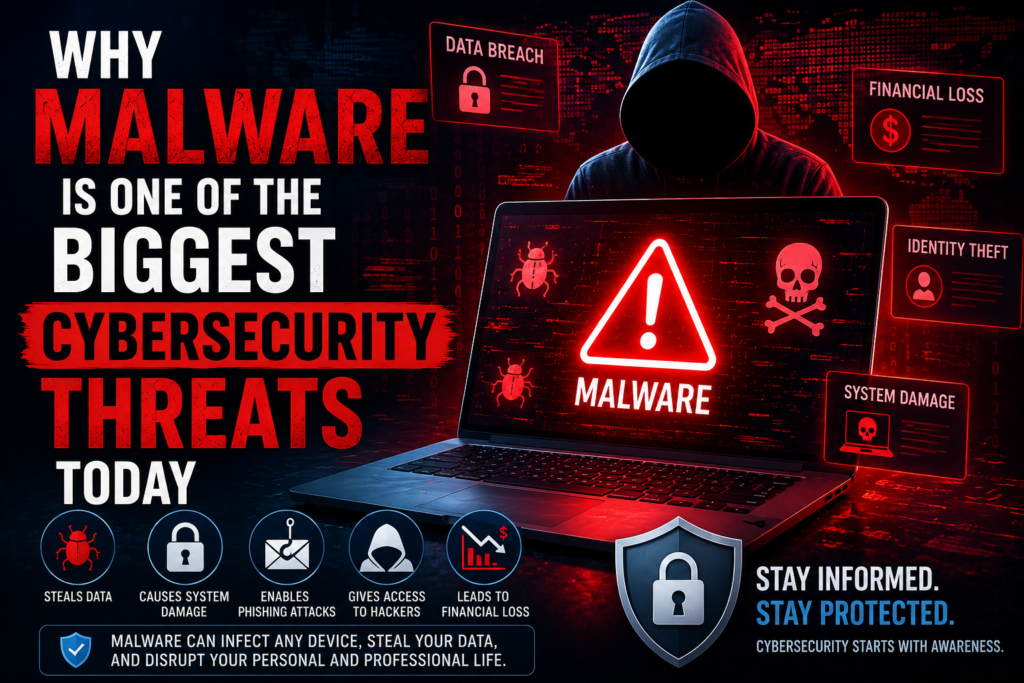
Today’s malware spreads faster because people use multiple connected devices at home and work. Remote work, cloud storage, mobile banking, and online shopping have increased convenience, yet they have also expanded the number of possible attack points. Strong Endpoint Security, Network Security, Information Security, and continuous Security Awareness help reduce these risks. However, the best defense still starts with informed users who recognize suspicious activity before malware has a chance to spread.
Quick Fact: Security researchers discover millions of new malware samples every year, proving that cyber threats continue to evolve alongside modern technology.
How Does Malware Work?
Most people think Malware starts causing damage the moment it enters a device. In reality, many threats follow a carefully planned process. First, attackers trick you into opening a harmful file or visiting an unsafe website. Next, the hidden Malicious Code installs itself and begins working quietly in the background. Some malware immediately steals data, while others remain hidden until the attacker decides to activate them. Modern Threat Detection systems look for unusual behavior because many threats try to avoid traditional security checks.
Once installed, malware often connects to a remote server controlled by Cyber Criminals. This connection allows attackers to send commands, collect stolen information, download additional malware, or update existing code. Some threats even disable Security Software, weaken Firewall settings, or exploit an unpatched Vulnerability before spreading to other devices. That is why regular Security Patch installation and continuous Cyber Hygiene are essential parts of modern Computer Security.
| Malware Lifecycle | What Happens |
| Delivery | Malware reaches the device through email, downloads, websites, or removable media. |
| Installation | Hidden files install themselves without permission. |
| Execution | The malware starts running after installation. |
| Persistence | It attempts to remain active after restarts. |
| Communication | It contacts the attacker’s server for instructions. |
| Payload | It steals data, encrypts files, spies on users, or damages the system. |
How Malware Infects Your Device
A Malware Infection usually begins with a small mistake that seems harmless. You might click a fake advertisement, install free software from an unknown website, or open a Malicious Email Attachment that looks like an invoice or delivery notice. Attackers also use Phishing Attack campaigns and Social Engineering techniques to convince people that dangerous files are legitimate. Once you approve the download, malware quietly enters your device without attracting attention.
Some infections require no action beyond visiting a compromised website. A Drive-by Download can secretly install harmful software through browser weaknesses, while a Fake Software Update tricks users into downloading malware disguised as an important update. Other common methods include infected USB drives carrying USB Malware, fake browser extensions acting as a Browser Hijacker, and outdated applications that contain known Vulnerability issues. Safe browsing habits, trusted Secure Downloads, and timely Security Updates greatly reduce these risks.
| Common Infection Method | Risk Level | Prevention |
| Phishing emails | High | Verify the sender before opening attachments. |
| Fake software downloads | High | Download only from official websites. |
| Drive-by downloads | High | Keep browsers updated. |
| USB devices | Medium | Scan removable drives before use. |
| Fake browser extensions | Medium | Install only verified extensions. |
| Cracked software | Very High | Avoid pirated applications completely. |
Common Types of Malware
Not every type of Malware behaves the same way. Some threats focus on stealing passwords, while others encrypt files or secretly spy on user activity. Understanding these differences helps you recognize suspicious behavior earlier and choose the right protection. Although attackers constantly develop new techniques, most modern malware belongs to a well-known category with unique characteristics and goals.
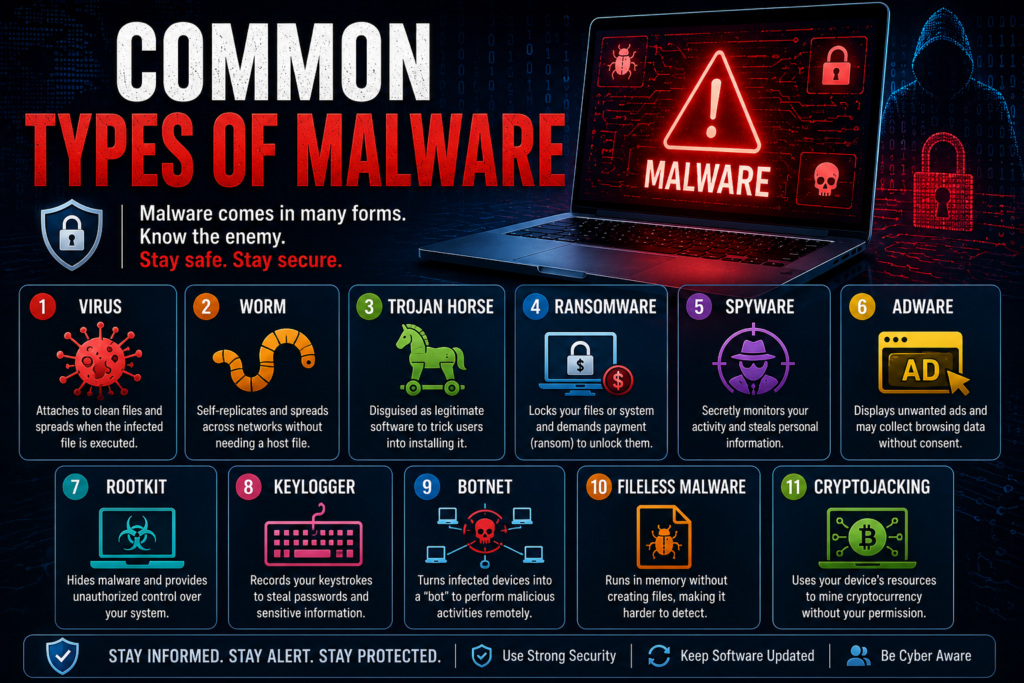
Security experts classify malware based on how it spreads, what damage it causes, and how it interacts with an Operating System. Some threats target home users, while others attack hospitals, schools, government agencies, or large businesses. Learning these categories improves your overall Threat Intelligence, strengthens Risk Management, and helps you make smarter Computer Security decisions every day.
Computer Virus
A Computer Virus is one of the oldest forms of Malware. It attaches itself to legitimate files and spreads whenever those files are opened or shared. Unlike many modern threats, a virus usually requires user action before it becomes active. Once executed, it may corrupt files, slow performance, damage applications, or spread to additional folders, making early Malware Detection and regular Antivirus Scan routines extremely important.
Worm
A Worm spreads automatically without needing user interaction. It moves through networks by exploiting weak passwords or software flaws, infecting one device after another in a short time. Because worms replicate rapidly, they can consume network resources, slow business operations, and increase the chance of a large-scale Cyber Attack. Strong Network Security and prompt Security Patch installation remain the best defenses.
Trojan Horse
A Trojan Horse disguises itself as useful software, a game, or a document to trick users into installing it. Unlike a virus, a Trojan does not replicate itself. Instead, it creates opportunities for attackers to steal data, monitor activity, or install additional threats such as a Remote Access Trojan (RAT) or a Banking Trojan. Careful downloading habits and trusted Security Software significantly reduce this risk.
Ransomware
Ransomware is among the most damaging forms of Malware because it locks or encrypts files until victims pay a ransom. Businesses often lose millions of dollars after these attacks due to downtime and recovery costs. Reliable backups, strong Endpoint Protection, and rapid Incident Response planning help organizations recover without rewarding attackers or risking further Data Protection failures.
Spyware
Spyware secretly watches your activity without permission. It records browsing habits, login credentials, financial information, and personal conversations before sending the data to attackers. This hidden surveillance often leads to Password Theft, Identity Theft, and Financial Fraud. Regular Malware Scanner checks and strong Browser Security help detect suspicious activity before serious damage occurs.
Adware
Adware displays unwanted advertisements to generate revenue for attackers or dishonest software developers. While some adware only creates annoying pop-ups, more aggressive versions track browsing habits, redirect search results, and install a Browser Hijacker without permission. This constant activity slows your device and weakens your Web Security, making it easier for other malware to enter the system.
Rootkit
A Rootkit is one of the most dangerous types of Malware because it hides deep inside the Operating System. It gives attackers administrator-level control while remaining invisible to many security tools. Once installed, a rootkit can disable Security Software, hide malicious files, and prevent accurate Malware Detection, allowing attackers to remain inside an Infected Device for months.
Keylogger
A Keylogger secretly records every key you press on your keyboard. Attackers use this stolen information to capture usernames, passwords, banking details, and private messages. Many cases of Credential Theft begin with keyloggers because victims rarely notice them running. Strong Antivirus Software, safe browsing habits, and regular Antivirus Scan checks reduce the chances of infection.
Botnet Malware
Botnet malware turns an ordinary computer into a remotely controlled machine called a “bot.” Thousands of infected devices can work together to launch spam campaigns, distribute malware, or perform massive Cyber Attack operations against websites and online services. Effective Network Security and continuous Threat Detection help identify unusual traffic before attackers expand their botnet.
Fileless Malware
Unlike traditional malware, Fileless Malware doesn’t rely on saved files. Instead, it runs directly in your computer’s memory by abusing trusted system tools. Because it leaves very few traces, many standard security programs struggle to find it. Modern Endpoint Protection, advanced Threat Intelligence, and behavioral monitoring provide better defense against these sophisticated attacks.
Cryptojacking Malware
Cryptojacking malware secretly uses your computer’s processor to mine cryptocurrency for attackers. Victims usually notice unusually slow performance, overheating, noisy cooling fans, or fast battery drain instead of obvious file damage. Although cryptojacking may seem less destructive than ransomware, it shortens hardware lifespan and reduces overall Device Security through continuous unauthorized resource usage.
Real-World Malware Examples
Real cyberattacks show how dangerous Malware can become when organizations fail to protect their systems. Some attacks spread worldwide within hours, disrupting hospitals, businesses, schools, and government agencies. These incidents remind us that strong Cybersecurity, timely Security Updates, and reliable backups are no longer optional. They are essential parts of everyday Computer Security.
Several famous attacks have changed the cybersecurity industry forever. They also helped security experts improve Incident Response, strengthen Threat Intelligence, and develop better protection technologies against future threats.
| Malware Attack | Year | What Happened | Main Lesson |
| WannaCry | 2017 | Encrypted files in over 150 countries | Install security updates quickly |
| NotPetya | 2017 | Destroyed business systems worldwide | Keep offline backups |
| Emotet | Multiple Years | Spread through phishing emails | Never trust unknown attachments |
| Zeus | Multiple Years | Stole online banking credentials | Enable multi-factor authentication |
| Stuxnet | 2010 | Targeted industrial systems | Critical infrastructure also needs cybersecurity |
Case Study: The WannaCry ransomware outbreak affected hospitals, transportation services, and businesses around the world. Many organizations suffered because they delayed installing important Security Patch updates that could have blocked the attack.
Warning Signs Your Device Is Infected with Malware
An Infected Device often gives warning signs before serious damage happens. You may notice slower performance, frequent crashes, unexpected pop-up windows, or applications opening by themselves. Some malware also changes browser settings, installs unknown programs, or consumes excessive memory without explanation. These unusual behaviors often indicate hidden Malicious Code running in the background.
Other symptoms are more serious. Your antivirus may suddenly stop working, passwords may change unexpectedly, or friends may receive strange emails from your account. Increased network activity, disappearing files, and unauthorized banking transactions may indicate Password Theft, Identity Theft, or Financial Fraud. Immediate Malware Detection and a trusted Malware Removal Tool can prevent additional damage.
| Warning Sign | Possible Cause |
| Slow computer | Background malware activity |
| Random pop-ups | Adware or browser hijacker |
| Unknown software | Trojan or spyware |
| High CPU usage | Cryptojacking or botnet |
| Disabled antivirus | Rootkit or advanced malware |
| Missing files | Ransomware or destructive malware |
How to Detect Malware on Windows, Mac, Android, and iPhone
Finding Malware early greatly reduces the damage it can cause. Windows users should run Microsoft Defender or another trusted Malware Scanner, review startup programs, and monitor Task Manager for unusual processes. Mac users should inspect Activity Monitor, remove suspicious login items, and keep macOS fully updated. Regardless of platform, regular Security Updates remain one of the simplest yet most effective defenses.
Android users should rely on Google Play Protect, remove unknown apps, and monitor unusual battery or data usage. iPhone users face lower malware risk because of Apple’s security model, yet jailbroken devices remain vulnerable. Any smartphone showing overheating, unexpected advertisements, or unexplained battery drain deserves immediate inspection. Strong Mobile Device Security, careful Secure Downloads, and regular software updates significantly reduce infection risks.
| Device | Recommended Detection Method |
| Windows | Microsoft Defender, Task Manager, Malware Scanner |
| macOS | Activity Monitor, Login Items, Security Updates |
| Android | Google Play Protect, App Permissions, Malware Scanner |
| iPhone | iOS Updates, Remove Unknown Profiles, Security Review |
Expert Tip: The earlier you detect Malware, the easier and less expensive it becomes to remove. Regular system scans and software updates remain your first line of defense against modern cyber threats.
Step-by-Step Guide to Remove Malware Safely
Removing Malware requires patience and the right approach. Acting too quickly can sometimes make the situation worse. Before you begin, disconnect your device from the internet to stop attackers from communicating with it. This simple step helps protect your personal information and prevents the malware from spreading to other devices on the same network. After disconnecting, restart your computer in Safe Mode if possible. Safe Mode loads only essential system files, making it easier for your Malware Removal Tool to find hidden threats.
Next, perform a full Antivirus Scan using trusted Antivirus Software. Delete or quarantine every detected threat, remove suspicious applications, clear temporary files, and install the latest Security Updates. If malware changed your browser settings, restore them to their default values. Finally, change important passwords after confirming your system is clean. This process strengthens Device Security, improves Secure Computing, and helps prevent another Malware Infection.
| Malware Removal Step | Why It Matters |
| Disconnect from the internet | Stops malware from communicating with attackers |
| Restart in Safe Mode | Makes detection easier |
| Run a full Antivirus Scan | Finds hidden malicious files |
| Remove suspicious software | Eliminates infection sources |
| Update the Operating System | Closes known security gaps |
| Reset browser settings | Removes malicious browser changes |
| Change passwords | Protects compromised accounts |
| Monitor financial accounts | Detects unauthorized activity |
Pro Tip: Never pay a ransom if your files are locked. There is no guarantee that Cyber Criminals will restore your data after receiving payment.
Best Ways to Prevent Malware Attacks
The easiest way to deal with Malware is to stop it before it reaches your device. Good security habits provide better protection than any single security program. Always download software from trusted websites, avoid suspicious links, and verify every email before opening attachments. Keeping your Operating System, browsers, and applications updated closes many known Vulnerability issues that attackers commonly exploit. Regular Cyber Hygiene protects both personal and business devices.
A layered defense offers the strongest protection against today’s evolving threats. Use trusted Security Software, enable your Firewall, install reliable Endpoint Protection, and activate multi-factor authentication whenever available. Regular backups ensure you can recover important files even after a serious Cyber Attack. Combined with ongoing Security Awareness, these practices significantly reduce the risk of becoming another malware victim.
| Prevention Method | Benefit |
| Keep software updated | Blocks known vulnerabilities |
| Install Antivirus Software | Detects and removes malware |
| Enable Firewall | Stops unauthorized connections |
| Back up important files | Speeds recovery after attacks |
| Avoid suspicious downloads | Prevents accidental infections |
| Verify email attachments | Reduces phishing risks |
| Use strong passwords | Protects online accounts |
| Enable MFA | Adds another security layer |
Malware vs Virus: What’s the Difference?
Many people use the words Malware and Computer Virus as if they mean the same thing. They are closely related, yet they are not identical. Malware is a broad term that includes every type of harmful software designed to damage systems, steal information, or spy on users. A virus is only one category of malware. Every virus is malware, though many malware threats are not viruses. Understanding this difference improves your overall Cybersecurity knowledge and helps you recognize different Cyber Threat categories.
Viruses usually require user action before spreading, while many other malware types operate differently. For example, a Worm spreads automatically, a Trojan Horse disguises itself as trusted software, and Ransomware encrypts files for payment. Learning these distinctions helps users choose better Threat Detection strategies and stronger Computer Security practices.
| Feature | Malware | Computer Virus |
| Definition | Any harmful software | One type of malware |
| Spreads Automatically | Sometimes | Usually requires user action |
| Includes Many Types | Yes | No |
| Main Goal | Theft, spying, disruption, damage | File infection and spreading |
| Examples | Trojan, Worm, Spyware, Ransomware | File-infecting virus |
Key Takeaway: Every Computer Virus is Malware, but not every Malware program is a virus.
Best Malware Removal and Protection Tools
Choosing reliable security software makes a significant difference when defending against modern Malware. Different products offer different strengths. Some focus on advanced Threat Detection, while others provide excellent Real-Time Protection or stronger business features. The best solution depends on your device, budget, and security needs rather than a single brand name.
No security tool can guarantee complete protection by itself. The safest approach combines trusted Antivirus Software, regular Security Patch installation, safe browsing habits, and continuous Security Awareness. When these practices work together, they create a much stronger defense against evolving cyber threats.
| Security Tool | Best For | Real-Time Protection | Platforms |
| Microsoft Defender | Windows users | Yes | Windows |
| Malwarebytes | Malware removal | Yes | Windows, macOS, Android |
| Bitdefender | Advanced home security | Yes | Multiple platforms |
| Norton | Families and businesses | Yes | Multiple platforms |
| ESET | Lightweight protection | Yes | Windows, macOS |
| Avast | Everyday home users | Yes | Windows, macOS, Android |
Malware Myths You Should Stop Believing
Many myths create a false sense of safety. Some people believe Macs never get malware, smartphones cannot be infected, or antivirus software catches every possible threat. These assumptions are dangerous because attackers constantly change their techniques. Every connected device faces some level of risk. Good Cybersecurity depends on smart decisions rather than blind trust in technology alone.
Another common myth says only large companies become targets. In reality, attackers frequently target home users, students, and small businesses because they often have weaker defenses. Simple habits such as installing Security Updates, avoiding suspicious downloads, and practicing good Cyber Hygiene reduce risk far more than believing outdated myths.
| Myth | Reality |
| Macs never get malware | Macs can also be infected. |
| Smartphones are completely safe | Mobile malware continues to grow. |
| Antivirus catches everything | No tool detects every threat. |
| Only businesses get attacked | Individuals are frequent targets too. |
| Incognito mode blocks malware | It only hides browsing history locally. |
Frequently Asked Questions About Malware
People often have simple questions after learning What Is Malware. The answers below address the most common concerns using easy language.
| Question | Answer |
| What is malware? | Harmful software designed to damage systems or steal information. |
| Can malware steal passwords? | Yes. Some malware specializes in Password Theft. |
| Is ransomware malware? | Yes. It is one of the most dangerous malware types. |
| Can smartphones get malware? | Yes, especially through unsafe apps and links. |
| Can malware be removed? | Most infections can be removed using trusted security tools. |
| Does Windows Defender remove malware? | Yes, it protects against many common threats. |
| Can Macs get malware? | Yes, although attacks are less common than on Windows. |
| How can I stay protected? | Use updates, antivirus software, backups, and safe browsing habits. |
Final Thoughts
Understanding What Is Malware is one of the most important steps toward safer online living. Modern malware continues to evolve, targeting computers, smartphones, businesses, and even smart home devices. While attackers constantly create new techniques, informed users remain the strongest defense. Learning how malware spreads, recognizing warning signs, and responding quickly can prevent serious financial and personal damage. Strong Information Security, reliable Endpoint Security, and continuous Risk Management work together to protect your digital life.
No security product can guarantee complete protection. Instead, build multiple layers of defense by combining trusted Antivirus Software, regular Security Updates, secure passwords, verified downloads, and routine backups. Stay alert, keep learning, and practice safe online habits every day. By following the guidance in this article, you’ll greatly reduce your chances of experiencing a Malware Infection and enjoy a safer, more confident online experience.
Continue Learning About Cybersecurity
Understanding Malware is an important first step toward improving your online safety. However, malware is only one part of the cybersecurity landscape. To build a stronger foundation and better protect your personal information, devices, and online accounts, continue exploring these beginner-friendly guides on DailyTecho.
Continue reading these related DailyTecho guides to build a complete cybersecurity foundation:
- Password Manager Explained (2026)
- Multi-Factor Authentication (MFA) Explained
- Endpoint Security Explained
- Cloud Security Explained
- Zero Trust Security Explained
- Identity and Access Management (IAM) Explained
- Network Security Explained
- VPN Explained (2026)
- Firewall Security Explained (2026)
- Common Cyber Threats Explained
- Types of Cybersecurity Explained
- Cybersecurity for Beginners (2026)
- Cybersecurity for Small Businesses
Together, these guides will help you understand modern Cybersecurity, strengthen your Digital Security, improve your Online Security, and stay prepared for evolving cyber threats in 2026 and beyond.
Want to learn more? Visit our Cybersecurity category for more expert guides and practical tips
Explore Cybersecurity
Meta Description
What is malware? Learn about malware types, examples, warning signs, detection, prevention, and removal with this complete beginner-friendly guide for 2026.
6 Comments