

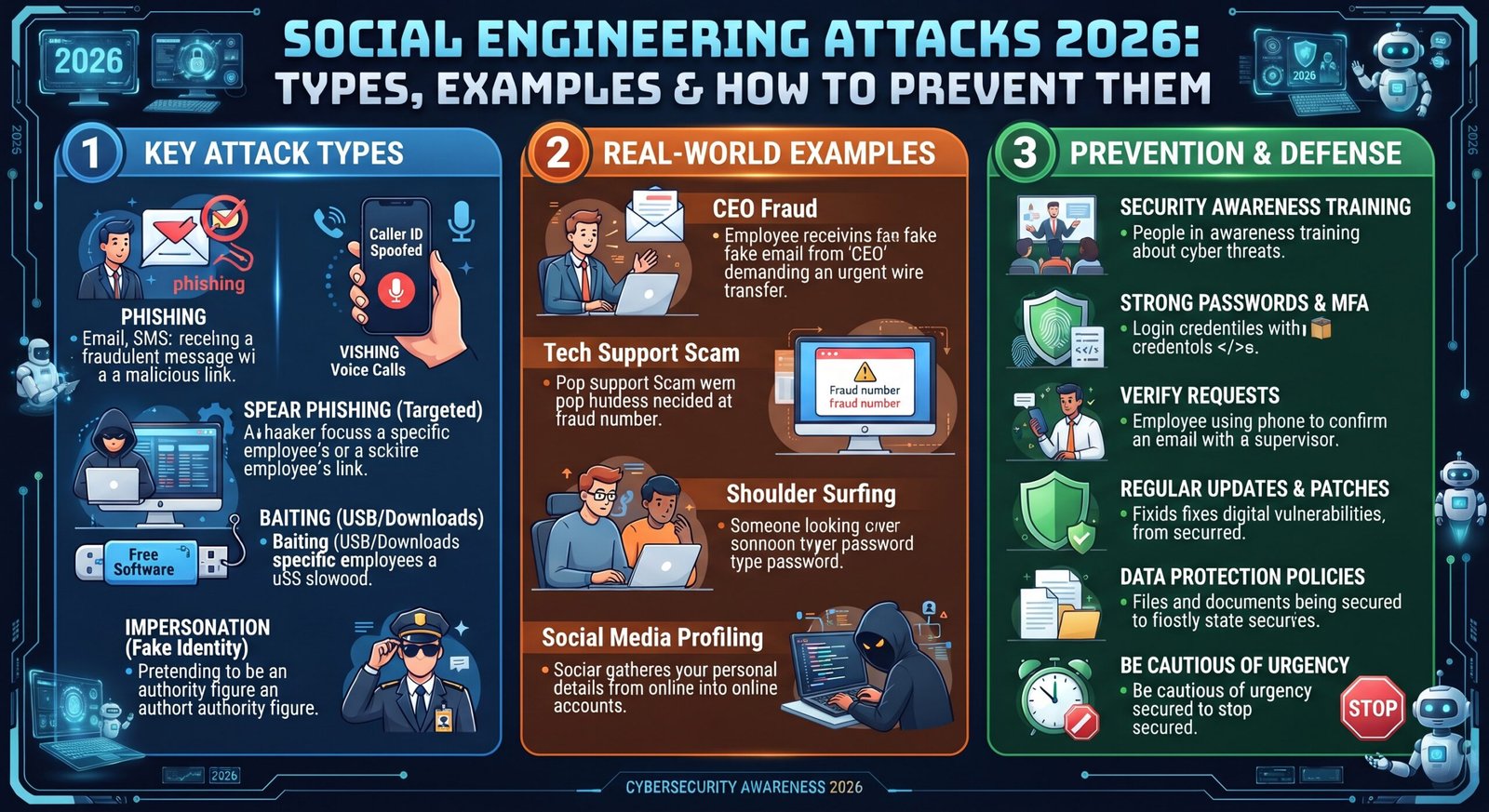
A convincing message can defeat strong security faster than a complicated exploit. That’s why social engineering attacks remain a serious cybersecurity concern. Attackers manipulate trust, fear, curiosity, or urgency to make people reveal information or take unsafe actions.
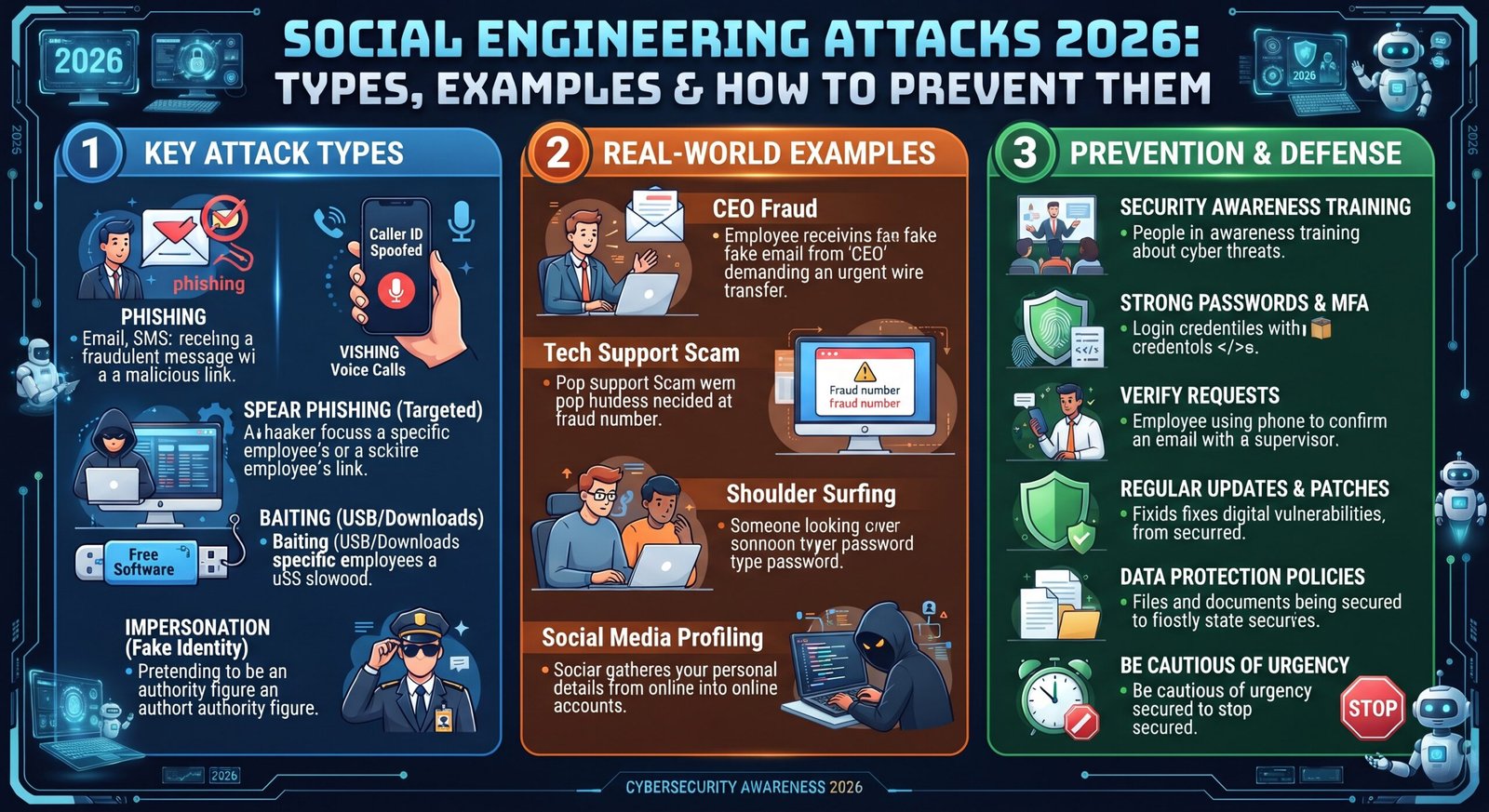
In this guide, you’ll learn how these attacks work, which methods criminals use, and how to spot them. You’ll also see realistic examples involving email, banking, workplaces, phones, social media, and AI.
More topic Explore now
| Related Cybersecurity Topic | Learn More |
| Multi-Factor Authentication (MFA) | Learn more about Multi-Factor Authentication |
| Identity and Access Management (IAM) | Learn more about Identity and Access Management |
| Endpoint Security | Learn more about Endpoint Security |
| Firewall Security | Learn more about Firewall Security |
| Network Security | Explore Network Security |
| Data Loss Prevention (DLP) | Learn more about Data Loss Prevention |
| Data Classification in Cybersecurity | Learn more about Data Classification |
| Data Classification Methods | Explore Data Classification Methods |
| Ransomware | Learn more about Ransomware |
| Intrusion Detection and Prevention System (IDPS) | Learn about IDPS |
| Cloud Security | Learn more about Cloud Security |
| Cloud Computing Architecture | Explore Cloud Computing Architecture |
What Are Social Engineering Attacks?
Social engineering attacks trick people into making security mistakes. Instead of attacking software directly, criminals manipulate human behavior to obtain passwords, money, access, or sensitive information. The FBI describes phishing as a form of social engineering that can steal credentials through convincing messages and fake websites.
The trick works because people naturally trust familiar names and urgent requests. A message from a supposed manager may feel legitimate. A fake bank warning may create panic. Good security therefore needs both technology and security awareness.
How Does Social Engineering Work?
The process usually begins with research. Attackers collect public information about a person, company, employee, or service. They then create a believable story that encourages the target to respond.
For example, a criminal might impersonate an IT employee and request account verification. The FBI has warned about criminals posing as employees to convince helpdesk staff to change login information.
Why Do Hackers Use Social Engineering?
Technology can block many automated threats. However, criminals can sometimes bypass those defenses by persuading someone to open the door themselves. This makes psychological manipulation a valuable criminal technique.
Attackers may seek passwords, payment details, MFA codes, company information, or remote access. Successful manipulation can eventually lead to account takeover, malware infections, financial fraud, or a larger data breach.
How Social Engineering Attacks Target Human Behavior
People don’t always make decisions from pure logic. Fear can speed up decisions. Trust can lower suspicion. Curiosity can encourage risky clicks. Attackers deliberately exploit these reactions.
These human-based cyber attacks often create an emotional trigger first. The criminal wants you to react quickly instead of stopping to verify the request. That simple pause can break the attack chain.
Fear and Urgency
Fear makes ordinary requests feel like emergencies. A scammer may claim your bank account will close within minutes. Another may say your company account has a serious security problem.
These social engineering red flags deserve attention because legitimate services usually provide safer ways to verify important requests. When a message demands instant action, slow down.
Trust and Authority
Authority can make a suspicious request feel normal. Attackers may pretend to be your boss, bank, coworker, lawyer, government employee, or technical support agent.
This technique relies on social manipulation rather than technical brilliance. Verify unusual requests through a separate trusted channel before sharing information or approving payments.
Curiosity and Greed
Curiosity can be just as powerful as fear. A message might promise an unexpected refund, exclusive offer, prize, or shocking piece of news.
These common social engineering techniques turn attention into action. If an offer feels unusually attractive, verify it independently before clicking anything.
Helpfulness and Familiarity
Attackers may also exploit your willingness to help. A fake coworker might claim they’re locked out of an account and need assistance.
Familiar names aren’t proof of identity. Attackers can compromise accounts or create convincing profiles. Always verify unusual requests, especially those involving sensitive information.
What Are the Most Common Types of Social Engineering Attacks?
The types of social engineering attacks vary by communication method and psychological tactic. Email, text messages, phone calls, websites, social media, and even physical locations can become attack channels.
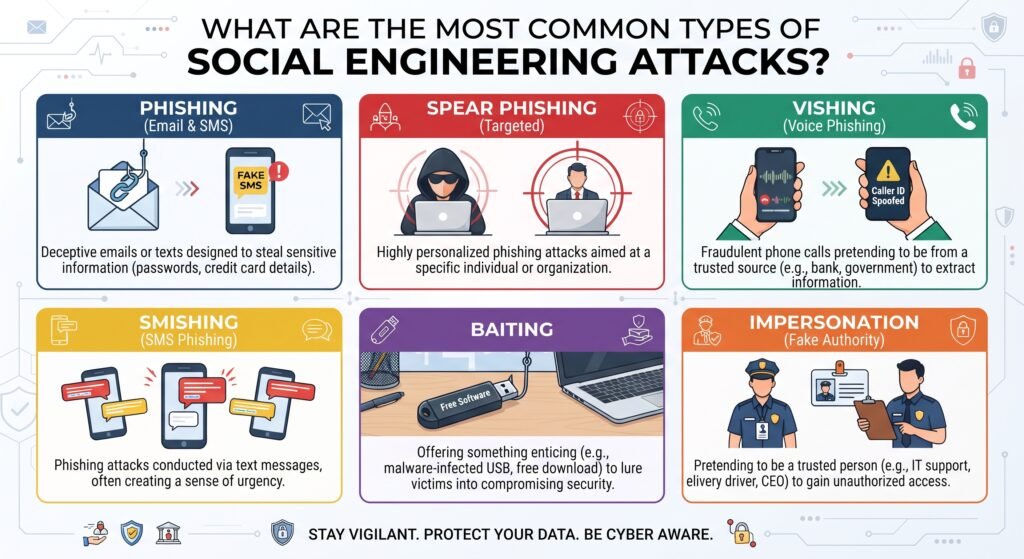
Some methods overlap. For example, a single campaign may combine phishing, impersonation, and malware. Understanding each method makes suspicious behavior easier to recognize.
| Attack Type | Common Channel | Typical Goal |
| Phishing | Email or website | Steal credentials |
| Spear phishing | Targeted email | Target a specific person |
| Whaling | Target executives | |
| Smishing | SMS | Steal information |
| Vishing | Phone | Gain trust or information |
| Pretexting | Email or phone | Create a false scenario |
| Baiting | Online or physical | Make victims take the bait |
| Tailgating | Physical access | Enter restricted areas |
| Scareware | Website or popup | Create fear and trigger action |
Phishing
Phishing uses fake messages or websites to imitate trusted organizations. The goal may involve passwords, financial details, personal information, or malware.
According to CISA, phishing can include spearphishing, whaling, vishing, and smishing. These social engineering phishing attacks remain important because they can look remarkably ordinary.
Spear Phishing
Spear phishing targets a particular person or organization. Attackers may use the victim’s name, job title, employer, or recent activity.
Because the message contains relevant details, targeted phishing attacks can feel more credible than random spam. Verification matters even when the sender appears familiar.
Whaling
Whaling targets high-value people such as executives, finance managers, or senior administrators. Attackers often seek sensitive information or large financial transfers.
A fake executive request can create strong pressure. Employees should verify unusual financial instructions through an established process rather than relying on email alone.
Smishing
Smishing uses SMS messages to conduct phishing. A criminal might imitate a delivery company, bank, toll service, or employer.
The FBI identifies smishing as phishing delivered through text messages. Never assume a text is trustworthy simply because it arrived on your phone.
Vishing
Vishing means voice-based phishing. Criminals may call while pretending to represent a bank, company, government agency, or technical support team.
A convincing voice doesn’t prove identity. Phone phishing scams can use spoofed numbers and carefully prepared scripts to create credibility.
Pretexting
Pretexting creates a false situation to obtain information or access. The attacker invents a role and story that explains why they need something from you.
For example, someone might pretend to be an employee who needs an account reset. The story sounds reasonable until you verify it independently.
Baiting
Baiting offers something attractive in exchange for an action. The bait might involve free software, a download, an unusual offer, or a physical device.
The danger comes from curiosity. A person may ignore normal security rules because the reward seems worthwhile.
Quid Pro Quo
Quid pro quo attacks promise something in return. A criminal might offer technical help in exchange for credentials or access.
The exchange sounds helpful rather than threatening. That’s the trick. Social engineering attack techniques often hide the danger inside an apparently useful interaction.
Tailgating
Tailgating targets physical security. An attacker follows an authorized employee through a secure door without proper authorization.
This method shows that cybersecurity isn’t limited to screens. Access control must also protect offices, server rooms, and other restricted areas.
Scareware
Scareware uses fake warnings to frighten users. A popup might claim that a computer contains dangerous malware and demand immediate payment.
The message may look technical while providing no real protection. Close suspicious warnings and use trusted security software instead.
Social Engineering vs Traditional Cyberattacks
Traditional cyberattacks often exploit technical weaknesses. Social engineering attacks focus more heavily on people and decisions.
However, modern campaigns can combine both methods. A victim may click a malicious link, enter credentials into a fake page, and then expose a corporate account.
| Traditional Attack | Social Engineering Attack |
| Targets technical weaknesses | Targets human decisions |
| May exploit software flaws | May exploit trust or fear |
| Often automated | Often involves interaction |
| Can require technical exploitation | Can succeed through deception |
| May install malware | May obtain access first |
How Do Social Engineering Attacks Work?
Most campaigns follow a recognizable pattern. First, the attacker gathers information. Next, they create a believable story. Then they introduce pressure and request an action.
The final goal may involve credential theft, financial fraud, malware, or unauthorized access. The FBI has documented campaigns where social engineering helped criminals gain access to financial, corporate, and network accounts.
Step 1: Finding Information
Attackers may study company websites, social profiles, public documents, and previous data leaks. They look for names, roles, relationships, and useful details.
Oversharing can make this process easier. Public information isn’t automatically dangerous, but criminals can combine small details into a convincing profile.
Step 2: Building a believable story
Next, the attacker creates a pretext. They may pretend to be a manager, customer, vendor, bank employee, or technician.
The story needs to sound ordinary. That’s why simple requests can sometimes be more effective than dramatic ones.
Step 3: Creating pressure
Pressure pushes victims toward quick decisions. Attackers may mention deadlines, account closures, security incidents, payments, or emergencies.
A rushed decision leaves less time for verification. Social engineering attack warning signs often become clearer when you remove the pressure.
Step 4: Getting the victim to act
The requested action could be clicking a link, opening an attachment, sharing a password, approving an MFA request, or sending money.
The attacker doesn’t necessarily need technical control. They want the victim to provide the missing piece.
Step 5: Stealing information or access
Once the victim responds, criminals may capture credentials or redirect money. They may also use stolen access to attack other accounts.
The FBI notes that account takeover can involve phishing and social engineering, including impersonating bank or technical support personnel.
Real-World Social Engineering Attack Examples
Real-world social engineering cybersecurity examples often look surprisingly ordinary. A fake delivery message can lead to a fake login page. A fake executive request can lead to a large payment.
The lesson is simple: don’t judge a request only by appearance. Verify the sender, request, destination, and consequences before acting.
Fake Password Reset Email
Imagine receiving an email saying your company password expires today. A button leads to a login page that copies your organization’s branding.
You enter your credentials because everything looks familiar. The attacker now has your password. Fake login pages can make credential theft feel like routine account maintenance.
Fake Bank or Payment Message
A message may claim your card payment failed. It asks you to confirm your identity through a provided link.
Instead of using that link, open your bank’s official website or app directly. The FBI recommends independently finding contact information instead of using details supplied by potential scammers.
Fake IT Support Call
A caller claims to be from your company’s IT department. They say your computer has a security problem and need remote access.
Don’t surrender control simply because the caller sounds professional. Confirm their identity using your company’s normal support process.
Fake Delivery Message
A text may claim your package needs a small delivery fee. The link leads to a convincing payment page.
This is a classic example of text message scams. Check your delivery through the company’s official website instead of clicking the unexpected link.
Social Media Impersonation
A criminal may create a profile that copies a friend, executive, brand, or government official. They then send a message asking for money or personal information.
Impersonation can become more convincing when attackers use stolen photographs and public details. AI-generated content can make the problem harder to spot.
How to Recognize a Social Engineering Attack
Recognition starts with one habit: pause before responding. Look for mismatched details, unusual requests, emotional pressure, and unexpected links.
These signs of social engineering don’t always prove a message is fraudulent. Still, several warning signs together should trigger independent verification.
Unexpected Requests
An unexpected request for credentials, money, files, or access deserves extra scrutiny. Even familiar contacts can have compromised accounts.
Ask yourself whether the request matches normal procedures. If it doesn’t, verify the person’s identity separately.
Urgent Messages
Urgency is a favorite weapon. A criminal may claim that waiting will cause financial loss or account closure.
Take a breath and verify first. Social engineering red flags become easier to notice when you refuse to rush.
Suspicious Links
Check the actual domain before entering information. Watch for misspellings, strange domains, unusual subdomains, and shortened URLs.
The FBI warns that spoofed websites can closely resemble legitimate sites. When unsure, navigate to the service manually.
Requests for Passwords or Codes
Never casually share passwords, PINs, or one-time authentication codes. An attacker may use a phone call or fake support message to obtain them.
The FBI specifically advises people not to provide passwords, PINs, or one-time passwords to unsolicited contacts.
Unusual Payment Requests
Be cautious when someone suddenly changes payment instructions. Gift cards, cryptocurrency, wire transfers, and unfamiliar bank accounts deserve careful verification.
For businesses, payment changes should follow a documented approval process. One phone call can prevent an expensive mistake.
Fake Login Pages
Fake login pages copy familiar branding, colors, layouts, and logos. Their purpose is simple: collect the information you enter.
Always check the domain before logging in. Better yet, open the service through your saved bookmark or official app.
How to Prevent Social Engineering Attacks
The best social engineering attack prevention strategy combines awareness, verification, strong authentication, and sensible access controls.
No single security tool solves the problem. A strong defense creates several checkpoints before someone can access an account, system, or payment process.
Verify Before You Trust
Verify unusual requests through a separate channel. If an executive emails about a payment, call them using a known number.
Don’t reply to the suspicious message for verification. Use contact details you already trust.
Don’t Share Passwords or MFA Codes
Passwords and MFA codes are private authentication secrets. Legitimate support staff shouldn’t need you to reveal them casually.
Strong multi-factor authentication adds protection, but users must still resist manipulation. Attackers can try to trick people into revealing codes or approving fraudulent requests.
Check Links Before Clicking
Inspect suspicious links before opening them. Look closely at the domain and avoid unexpected login pages.
When possible, visit the official website directly. This simple habit removes many opportunities for link-based deception.
Use Multi-Factor Authentication
MFA adds another layer beyond passwords. It can reduce account takeover risk when credentials become exposed.
However, MFA isn’t a magic shield. Stronger phishing-resistant authentication can provide better protection against attacks designed to steal authentication factors.
Keep Software Updated
Updates fix known security weaknesses. They also reduce the chance that a successful social engineering event leads to a second technical attack.
Use automatic updates where practical. Keep operating systems, browsers, applications, and security tools current.
Use Email Security Tools
Organizations can use filtering, malicious-link detection, attachment scanning, and domain protection to reduce dangerous messages.
Technology should support social engineering protection, not replace employee judgment. Users still need to recognize suspicious requests.
Train Employees
Training works best when it reflects real situations. Employees should practice spotting fake invoices, suspicious login pages, unusual requests, and impersonation attempts.
Effective social engineering awareness training teaches people what to do next. It shouldn’t simply tell them to “be careful.”
Social Engineering Attacks in the Workplace
Businesses face significant social engineering risk because employees control valuable systems and information. One successful deception can expose customer records, internal accounts, or company funds.
The solution requires layers. Training, MFA, access controls, payment verification, email security, and incident response should work together.
Why Businesses Are Common Targets
Businesses hold money, customer data, intellectual property, employee information, and privileged accounts.
Attackers can target one employee instead of trying to break through every technical control. That makes employee security awareness a crucial defense layer.
Business Email Compromise
Business email compromise involves fraudulent messages designed to cause unauthorized payments or data disclosure. The FBI describes BEC as a sophisticated scam targeting legitimate transfer-of-funds requests.
The attacker may impersonate an executive, vendor, or trusted partner. Payment verification should therefore use a separate communication method.
Employee Awareness Training
Good training uses realistic scenarios. Employees should learn how to recognize employee social engineering, report suspicious messages, and verify unusual requests.
Training should also explain that reporting a mistake quickly is better than hiding it. Fast reporting can limit damage.
Access Control and Least Privilege
Least privilege means users receive only the access required for their work. This limits what an attacker can reach after compromising one account.
Combine least privilege with strong authentication and monitoring. A compromised account shouldn’t automatically become a master key.
Social Engineering and AI: Why Attacks Are Becoming More Convincing
Generative AI has changed the quality and scale of many scams. Criminals can produce convincing messages, images, profiles, and other content faster than before.
The FBI’s IC3 has warned that criminals use generative AI for social engineering, spear phishing, fake profiles, fraudulent websites, and financial fraud.
AI-Generated Phishing Messages
AI can create polished messages with fewer obvious grammar mistakes. It can also customize content for different victims.
That makes old advice such as “look for bad spelling” less reliable. Focus instead on the request, sender, link, timing, and verification process.
Voice Cloning
Voice cloning can imitate familiar people. A scammer might pretend to be a family member, executive, or public official.
The FBI warned in 2026 that AI-generated videos and voice cloning can make impersonation difficult to recognize. Verify unusual requests through another trusted channel.
Deepfake Scams
Deepfakes can imitate faces, voices, and public figures. Attackers may use them to create credibility during fraud attempts.
Don’t treat video as automatic proof of identity. If money or sensitive information is involved, use an independent verification process.
Automated Social Engineering
AI can help criminals create content at scale. One attacker can potentially personalize many messages instead of manually writing each one.
This creates a broader AI cybersecurity threat. Security teams need both automated defenses and well-trained users.
What Should You Do After a Social Engineering Attack?
Act quickly if you believe you’ve fallen for a scam. Don’t wait because you’re embarrassed or unsure.
Start by securing affected accounts. Then document what happened and report it through the appropriate channel. Fast incident response can reduce further exposure.
Change Compromised Passwords
Change passwords immediately if you entered them into a suspicious website. Use a trusted device when possible.
Don’t reuse the same password elsewhere. If the password was reused, change those accounts too.
Revoke Suspicious Sessions
Review active sessions and connected devices. Sign out anything unfamiliar.
Also check recent security activity. Unexpected logins can reveal that someone already accessed the account.
Contact Your Bank
Contact your financial institution immediately after suspicious payment activity. Use the bank’s official contact information.
Don’t use a phone number provided by the suspected scammer. For business transfers, notify the financial institution as quickly as possible.
Report the Incident
US victims can report cyber-enabled crime through the FBI’s Internet Crime Complaint Center. The FBI also recommends reporting relevant fraud details to IC3.
FBI Internet Crime Complaint Center (IC3)
Check Other Accounts
One stolen password can affect several accounts when credentials are reused.
Review email, banking, social media, cloud storage, and workplace accounts. Change reused passwords and enable MFA wherever available.
Social Engineering Attack Prevention Checklist
Use this table as a quick daily reference.
| Risk | Safer Action |
| Unknown email | Verify the sender |
| Urgent payment request | Confirm through another channel |
| Suspicious link | Open the official website directly |
| MFA code request | Never share the code |
| Unknown caller | Verify their identity |
| Unexpected attachment | Don’t open it |
| Fake login page | Check the website address |
| Suspicious account activity | Change credentials immediately |
The goal isn’t to become suspicious of everything. Instead, build consistent social engineering security measures around important decisions.
Frequently Asked Questions About Social Engineering Attacks
What is a social engineering attack?
A social engineering attack manipulates a person into taking an unsafe action. The attacker may seek credentials, money, information, access, or another valuable resource.
What is the most common social engineering attack?
Phishing remains one of the most common forms. It can arrive through email, websites, text messages, or other communication channels.
What are the four types of social engineering?
There isn’t one universal four-category system. Common methods include phishing, pretexting, baiting, impersonation, and physical manipulation. Several techniques can also appear together.
How do hackers use social engineering?
Attackers use trust, fear, urgency, curiosity, authority, and familiarity. They combine these psychological triggers with information gathered about their targets.
Is phishing a social engineering attack?
Yes. Phishing is a form of social engineering. CISA and the FBI both describe phishing as a method that tricks users into revealing information or taking harmful actions.
Can MFA stop social engineering attacks?
MFA can reduce account takeover risk, but it doesn’t stop every attack. Criminals may try to steal authentication codes or trick users into approving fraudulent requests.
How can businesses prevent social engineering?
Businesses should combine security controls, employee training, MFA, least privilege, email filtering, payment verification, and clear reporting procedures.
Can AI make social engineering attacks more dangerous?
Yes. AI can help criminals create convincing text, images, voices, and videos at scale. The FBI has documented generative AI use in social engineering and financial fraud.
What should you do if you clicked a phishing link?
Stop interacting with the page. If you entered credentials, change the affected password from a trusted device and review account sessions. Report the incident if information or money may have been exposed.
Final Verdict: How Can You Stay Safe From Social Engineering?
The strongest defense is simple: pause, verify, then act. Criminals want quick reactions. You can break their advantage by checking unusual requests through a trusted channel.
Good social engineering defense strategies combine human awareness with strong authentication, limited access, secure software, and clear reporting. You don’t need perfect instincts. You need repeatable security habits.
When a message creates panic, pressure, or excitement, slow down before you click.
For USA readers, reporting suspected cybercrime to the FBI’s IC3 can also help authorities identify wider patterns.
FBI guidance on spoofing and phishing
Meta Description
Learn how social engineering attacks work, including phishing, vishing, smishing, AI scams, warning signs, real examples, and practical prevention tips.