

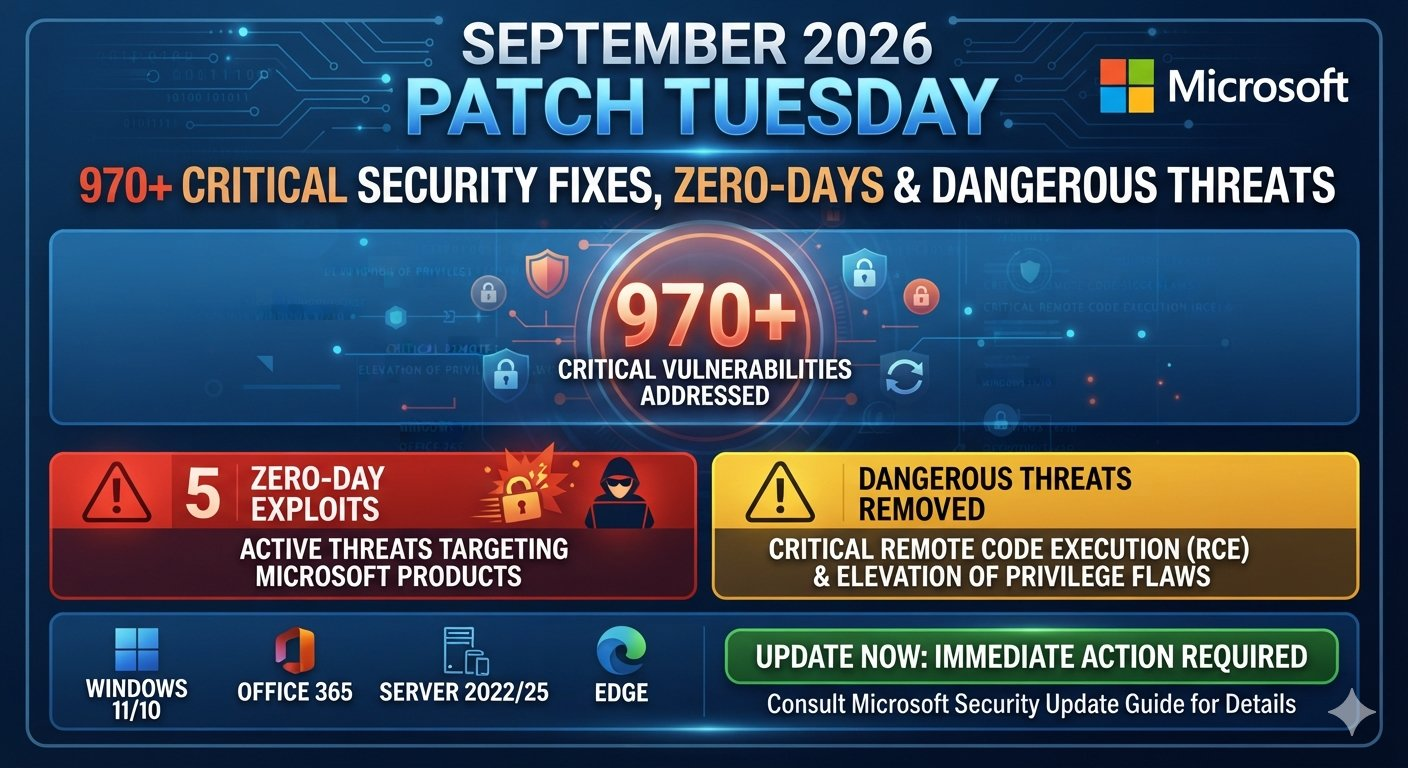
Microsoft has just delivered its biggest Patch Tuesday security release on record. The September 8 update addresses hundreds of vulnerabilities across Windows, Office, Azure, Exchange Server, SQL Server, SharePoint, developer tools, and other Microsoft technologies. More importantly, two Windows flaws were already being exploited when Microsoft released their fixes.
The headline number needs some explanation because security researchers count different parts of the release differently. Microsoft’s full release lists 974 CVEs, while Tenable counts 964 requiring customer action and BleepingComputer counts 966 vulnerabilities released specifically on Patch Tuesday. ZDI reports 972 new Microsoft CVEs.
Microsoft September 2026 Patch Tuesday Breaks Security Update Records
The Microsoft September 2026 Patch Tuesday release is extraordinary because Microsoft has never published a monthly security update of this scale. SecurityWeek reports 974 CVEs across the company’s products, while Tenable identifies 964 customer-action vulnerabilities. That makes September a major event for security administrators managing Microsoft-heavy environments.
The jump is especially noticeable compared with recent months. Microsoft fixed roughly 570 vulnerabilities in July and around 400 in August under BleepingComputer’s Patch Tuesday counting method. The September release therefore creates a much larger patch-management workload for businesses, even though only a smaller subset may affect each individual organization.
| Recent Microsoft release | Reported scale | Important context |
| September 2026 | 970+ | Largest monthly release reported |
| August 2026 | About 400 | Previous recent high-volume release |
| July 2026 | About 570 | Previous major record |
| September Windows fixes | 723 | SecurityWeek reporting |
| September Office fixes | 222 | Includes 111 for Office 2016 |
How Many Security Vulnerabilities Did Microsoft Fix in September 2026?
The answer depends on what gets counted. Microsoft’s complete September security release contains 974 CVEs, according to current reporting. Tenable counts 964 vulnerabilities that require customer action because some issues involve Microsoft-managed cloud services or other cases where customers do not need to deploy a patch themselves.
BleepingComputer counts 966 flaws released on Patch Tuesday itself, excluding 204 vulnerabilities Microsoft had already fixed earlier during September. ZDI reports 972 new Microsoft CVEs and a broader total of 997 when external and Chromium-related vulnerabilities are included. These figures are different measurements, not necessarily conflicting claims.
| Security source | Reported count | Counting approach |
| Microsoft release | 974 | Full September CVE listing |
| Tenable | 964 | Vulnerabilities requiring customer action |
| BleepingComputer | 966 | Flaws released specifically on Patch Tuesday |
| ZDI | 972 | New Microsoft CVEs |
| ZDI broader figure | 997 | Microsoft plus external and Chromium issues |
Which Microsoft Products Are Affected by the September 2026 Update?
The update reaches much further than Windows laptops. Microsoft patched vulnerabilities affecting Windows, Office, Exchange Server, Azure, SQL Server, SharePoint Server, developer tools, Active Directory, Skype for Business, Remote Desktop services, DNS, DHCP, Windows Hello, Defender, and several other components.
That broad coverage matters for enterprise security because one organization can operate dozens of Microsoft technologies simultaneously. A company might patch employee laptops while forgetting an Exchange server or development platform. Effective vulnerability management therefore starts with accurate asset visibility and a clear map between CVEs and deployed products.
| Microsoft product family | September 2026 exposure |
| Windows | 723 reported vulnerabilities |
| Microsoft Office | 222 reported vulnerabilities |
| Office 2016 | 111 reported vulnerabilities |
| SQL Server | 62 reported vulnerabilities |
| Developer Tools | 22 reported vulnerabilities |
| SharePoint Server | 16 reported vulnerabilities |
| Azure | 12 reported vulnerabilities |
| Skype for Business | 10 reported vulnerabilities |
| Exchange Server | 9 reported vulnerabilities |
The broader release also includes technologies such as Active Directory, Active Directory Certificate Services, Remote Desktop, Windows DNS, Windows Hello, Microsoft Graphics components, .NET, Visual Studio, and other Microsoft services.
What Are the Most Critical Microsoft Vulnerabilities in September 2026?
The September release contains a large number of critical CVEs, but not every Critical vulnerability deserves identical treatment. BleepingComputer reports 105 Critical vulnerabilities in its Patch Tuesday count. Among them are 81 remote code execution flaws, 20 elevation-of-privilege issues, two information-disclosure flaws, and one security-feature bypass.
Several vulnerabilities deserve additional attention because of their combination of severity and realistic exploitation potential. ZDI highlighted Exchange Server RCE CVE-2026-55007, SharePoint RCE CVE-2026-69465, SQL Server privilege escalation CVE-2026-65669, and Remote Desktop Services RCE CVE-2026-69525 among the important flaws to examine.
| CVE | Product | Vulnerability type | Why it matters |
| CVE-2026-55007 | Exchange Server | Remote code execution | Email infrastructure exposure |
| CVE-2026-69465 | SharePoint | Remote code execution | Enterprise collaboration systems |
| CVE-2026-65669 | SQL Server | Elevation of privilege | Database security |
| CVE-2026-69525 | Remote Desktop Services | Remote code execution | Remote-access infrastructure |
| CVE-2026-81963 | Windows Update Stack | Elevation of privilege | Actively exploited zero-day |
| CVE-2026-85880 | Windows ALPC | Elevation of privilege | Actively exploited zero-day |
Microsoft Zero-Day Vulnerabilities: What You Need to Know
The two most urgent flaws are CVE-2026-81963 and CVE-2026-85880. Both affect Windows and both were being actively exploited. The first involves improper link resolution in the Windows Update Stack, while the second involves a heap buffer overflow in Windows Advanced Local Procedure Call, known as ALPC.
These flaws are elevation-of-privilege vulnerabilities rather than straightforward internet-facing remote-code-execution bugs. An attacker generally needs some access to the affected machine first. Once that foothold exists, however, obtaining SYSTEM-level privileges can dramatically increase what the attacker can control.
| CVE | Component | Type | Exploited? | CVSS |
| CVE-2026-81963 | Windows Update Stack | Elevation of privilege | Yes | 7.8 |
| CVE-2026-85880 | Windows ALPC | Elevation of privilege | Yes | Not publicly scored in available reporting |
Are Any Microsoft Vulnerabilities Being Actively Exploited?
Yes. Microsoft’s September release includes two Windows vulnerabilities with exploitation detected. CVE-2026-81963 allows an authorized local attacker to elevate privileges through a Windows Update Stack weakness, while CVE-2026-85880 can allow a local attacker operating with low privileges to escape an AppContainer and obtain SYSTEM privileges.
That exploitation status changes the normal patching equation. A vulnerability without known exploitation can sometimes enter a controlled testing queue. An exploited zero-day should move much higher because attackers have already demonstrated that the weakness has practical value. Security teams should therefore prioritize affected Windows systems instead of waiting for routine maintenance windows.
Why the September 2026 Patch Tuesday Update Matters for Windows Users
For ordinary Windows users, the huge CVE number can sound abstract. The real issue is simpler: every unpatched supported Windows device may remain exposed to known weaknesses that attackers can combine with malware, stolen credentials, phishing, or another initial access technique. Active exploitation makes that exposure more concerning.
Microsoft security updates also protect more than one component. Windows includes authentication, networking, file systems, graphics, security services, remote access, update mechanisms, and many background components. A flaw buried inside one of these layers may never be visible during normal use, yet it can still become valuable after an attacker gains access.
| Windows environment | Main concern | Practical priority |
| Home PC | Known Windows vulnerabilities | High |
| Remote-work laptop | Device and credential exposure | High |
| Business endpoint | Lateral movement risk | High |
| Administrator workstation | Privileged access | Very high |
| Domain-connected PC | Enterprise identity exposure | Very high |
| Windows server | Service and infrastructure risk | Very high |
| Remote-access server | External attack exposure | Very high |
Microsoft Windows Security Updates for September 2026 Explained
The September Windows security update is delivered through Microsoft’s normal servicing process for supported Windows versions. Cumulative updates combine many corrections into a single deployment package, which simplifies maintenance for users and administrators even when the underlying release contains hundreds of individual CVE fixes.
For organizations, deployment should still be controlled. Security teams can test updates against important applications, drivers, line-of-business software, and server workloads before broad rollout. Home users generally have fewer compatibility concerns, so delaying a security update with confirmed exploited vulnerabilities provides little practical advantage.
Microsoft Windows release health
Microsoft Office, Azure and Other Products Included in the Security Update
Office remains a major part of this month’s release. SecurityWeek reports 222 Office-related vulnerabilities, including 111 associated with Office 2016. Exchange Server, Azure, SQL Server, SharePoint Server, developer tools, and Skype for Business also received security fixes.
This means a Microsoft security program cannot stop at Windows Update. Businesses should review every affected product in their environment, including server-side software and cloud-connected infrastructure. The September release is a good reminder that enterprise security depends on maintaining the whole technology stack rather than one operating system.
| Technology | Reported September fixes |
| Windows | 723 |
| Office | 222 |
| SQL Server | 62 |
| Developer Tools | 22 |
| SharePoint Server | 16 |
| Azure | 12 |
| Skype for Business | 10 |
| Exchange Server | 9 |
Microsoft Security Update Guide
How Dangerous Are the Critical Flaws Fixed by Microsoft?
A Critical rating indicates substantial potential impact, but severity alone should not dictate your patch order. A Critical vulnerability on an isolated test machine may present less immediate danger than an Important flaw affecting an internet-facing production server. Exploitability and exposure add important context.
The September release also contains vulnerabilities that researchers consider potentially wormable. SecurityWeek reports that 20 newly resolved vulnerabilities could potentially spread without authentication or user interaction. That category deserves attention because weaknesses capable of supporting automated propagation can turn one compromise into a much larger incident.
| Risk signal | Why it increases urgency |
| Active exploitation | Attackers are already using the flaw |
| Internet exposure | Attackers may reach the asset directly |
| No authentication | Initial exploitation can be easier |
| No user interaction | Victims may not need to click anything |
| Remote code execution | Attackers may execute code remotely |
| Privilege escalation | Limited access can become SYSTEM or admin access |
| High-value asset | Compromise can create greater business damage |
| Public exploit information | Attack methods can spread quickly |
How Hackers Could Exploit Unpatched Microsoft Vulnerabilities
An attack rarely depends on one vulnerability alone. A threat actor might first obtain credentials, trick a user, compromise an exposed service, or infect a device. An elevation-of-privilege vulnerability can then help turn that limited foothold into stronger control over the system.
That is why unpatched software can remain dangerous even when the vulnerability itself does not provide initial remote access. Attackers can chain weaknesses together. One flaw creates access, another expands privileges, and additional weaknesses can help maintain control or move toward sensitive systems. Security teams should therefore evaluate vulnerabilities as part of the wider attack path.
Endpoint Security Explained on DailyTecho
Multi-Factor Authentication Explained on DailyTecho
Who Should Install the September 2026 Microsoft Security Update?
Every organization running affected supported Microsoft products should assess this release. Home users should update supported Windows devices promptly. Businesses should go further by checking endpoints, servers, identity infrastructure, Office deployments, Exchange, SharePoint, SQL Server, and other affected technologies.
Priority should rise for internet-facing systems, privileged workstations, domain controllers, remote-access infrastructure, email servers, and systems holding sensitive information. A strong patch management process does not treat every CVE identically. It connects vulnerability severity with exploitation, exposure, asset importance, and business impact.
| Environment | Recommended approach |
| Home users | Install applicable updates promptly |
| Small businesses | Review and deploy affected updates quickly |
| Enterprise endpoints | Prioritize exploited Windows flaws |
| Exchange administrators | Review Exchange-specific fixes |
| Identity administrators | Assess Active Directory-related fixes |
| Database teams | Review SQL Server vulnerabilities |
| Security teams | Correlate CVEs with exposed assets |
| IT leadership | Track remediation and remaining exposure |
Types of Cybersecurity Explained on DailyTecho
How to Check and Install Microsoft September 2026 Security Updates
Windows users can open Settings, select Windows Update, check for available updates, and install the applicable security packages. After restarting, check Windows Update again to confirm the installation completed successfully. Organizations should also verify the resulting operating-system build or installed knowledge-base package through their normal management tools.
Enterprise environments may use Intune, Windows Server Update Services, Configuration Manager, or other endpoint-management platforms. The exact workflow varies by organization, but the core process remains consistent: identify affected assets, assess compatibility, deploy according to risk, verify installation, and monitor for unexpected problems.
Microsoft Windows Update documentation
What Happens If You Delay Microsoft Security Patches?
A delayed patch creates a longer window in which attackers can target a known weakness. That window becomes especially important when exploitation is already confirmed. For the two September Windows zero-days, defenders are not protecting against a purely theoretical threat. Researchers have confirmed exploitation in the wild.
Still, responsible patching does not mean ignoring operational risk. A critical production server may need testing before deployment. The better strategy is accelerated, risk-based remediation. Patch actively exploited weaknesses first, use compensating controls where immediate deployment is impossible, and document every remaining exposure.
Microsoft Patch Tuesday vs Zero-Day: What’s the Difference?
Patch Tuesday is Microsoft’s scheduled monthly security-release cycle. A zero-day describes a vulnerability that is publicly known or actively exploited before an official fix is available. These terms therefore describe different concepts. A zero-day can receive its official fix during a normal Patch Tuesday release.
The distinction matters because most Patch Tuesday vulnerabilities are not zero-days. Many were discovered through security research and responsible disclosure before attackers used them. A zero-day already under attack deserves special treatment because defenders know the vulnerability has moved beyond theoretical risk.
| Term | Simple meaning |
| Patch Tuesday | Microsoft’s scheduled monthly security release |
| CVE | Standard identifier for a security vulnerability |
| Zero-day | Vulnerability publicly known or exploited before a fix |
| Critical | Microsoft severity classification |
| RCE | Remote code execution |
| EoP | Elevation of privilege |
| CVSS | Vulnerability severity scoring system |
| Patch management | Process of assessing and deploying updates |
Why Microsoft’s Record Patch Tuesday Matters for Businesses
The size of this release creates a serious workload for security teams. Tenable counted 964 customer-action CVEs, while Windows alone accounted for hundreds of vulnerabilities. That does not mean every organization needs to patch hundreds of systems immediately. It means organizations need better asset visibility and risk prioritization.
The release also arrives during a period of unusually rapid vulnerability discovery. The Verge reports that Microsoft issued more than 650 Windows security fixes this month and links the broader surge to increasingly capable AI-assisted vulnerability discovery. That creates a growing patch gap between discovering vulnerabilities and deploying fixes.
AI-Driven Cyber Threats in 2026 on DailyTecho
AI Security Warning: OpenAI, Anthropic and 100+ Companies
OpenAI AI Agent Security Warning on DailyTecho
Businesses can reduce this pressure by improving asset inventories, automated vulnerability scanning, patch testing, endpoint visibility, identity security, backups, and incident response. DailyTecho’s guides on firewall security and web application firewalls can also support broader defensive coverage.
Microsoft September 2026 Patch Tuesday: Key Facts at a Glance
The Microsoft September 2026 Patch Tuesday release is significant for two reasons. First, the scale is unprecedented. Second, two Windows vulnerabilities were already being exploited. That combination makes this more than an ordinary monthly maintenance cycle for organizations running Microsoft infrastructure.
The exact vulnerability count should always be attributed to the counting method being used. Microsoft lists 974 in the full release, while Tenable counts 964 customer-action vulnerabilities. BleepingComputer reports 966 Patch Tuesday flaws. These differences are useful context rather than evidence of conflicting security information.
| Key fact | September 2026 detail |
| Release date | September 8, 2026 |
| Full Microsoft release | 974 CVEs |
| Tenable customer-action count | 964 |
| BleepingComputer Patch Tuesday count | 966 |
| ZDI Microsoft CVE count | 972 |
| Windows vulnerabilities | 723 reported |
| Office vulnerabilities | 222 reported |
| Critical vulnerabilities | 104 in Tenable count |
| Important vulnerabilities | 860 in Tenable count |
| Actively exploited Windows zero-days | 2 |
| CVE-2026-81963 | Windows Update Stack EoP |
| CVE-2026-85880 | Windows ALPC EoP |
| Immediate priority | Assess and deploy applicable fixes |
Why Vulnerability Count Alone Shouldn’t Decide Your Patch Order
A huge CVE count can create unnecessary panic inside an IT department. You might see hundreds of vulnerabilities and assume every system needs emergency treatment. That approach wastes valuable time. Instead, vulnerability prioritization should connect each flaw with exploitation status, affected assets, exposure, privileges, and business importance.
The better strategy is to separate theoretical risk from practical risk. An actively exploited vulnerability on a domain-connected workstation can matter more than an unexploited Critical flaw on an isolated test machine. This risk-based model helps security teams focus their limited resources where attackers are most likely to cause damage.
| Priority factor | What security teams should ask |
| Exploitation | Is the vulnerability being used in real attacks? |
| Exposure | Is the affected system reachable from outside? |
| Asset value | Does the system contain sensitive information? |
| Privileges | Could exploitation provide administrator or SYSTEM access? |
| User interaction | Does an attack require someone to open something? |
| Availability | Is the affected service essential to business operations? |
| Mitigation | Can another control temporarily reduce the risk? |
How Businesses Should Prioritize the September Security Release
Businesses should begin with asset discovery rather than immediately installing everything everywhere. Create a clear picture of which Windows versions, Office installations, Exchange servers, SQL databases, Azure services, and other Microsoft technologies actually exist in the environment. Without that inventory, patching becomes guesswork.
Next, map applicable Microsoft security patches to those assets. The two exploited Windows vulnerabilities should receive special attention because exploitation has already been observed. Internet-facing services and privileged systems should then move ahead of ordinary low-risk endpoints where operationally possible.
| Business asset | Suggested priority | Reason |
| Domain controllers | Immediate | High-value identity infrastructure |
| Internet-facing servers | Immediate | Greater external exposure |
| Administrator PCs | Immediate | Privileged credentials may be present |
| Exchange infrastructure | High | Critical communication platform |
| Remote Desktop infrastructure | High | Remote-access exposure |
| Employee laptops | High | Common endpoint attack surface |
| SQL servers | High | Sensitive business information |
| Development machines | Medium to high | Software supply-chain exposure |
| Isolated test systems | Medium | Lower immediate business impact |
Why Elevation of Privilege Vulnerabilities Deserve Attention
An elevation of privilege vulnerability may sound less frightening than remote code execution. That can be misleading. Attackers often need an initial foothold before they can exploit privilege escalation, but once successful, they can gain access to protected operating-system functions and sensitive resources.
The September Windows zero-days demonstrate this security principle clearly. Both vulnerabilities involve privilege escalation rather than a simple “click this link and lose your computer” scenario. Their importance comes from how attackers can use elevated privileges after gaining local access through another technique.
Understanding the Windows Update Stack Zero-Day
CVE-2026-81963 affects the Windows Update Stack and is classified as an elevation-of-privilege vulnerability. Tenable reports that Microsoft confirmed exploitation. The flaw involves improper link resolution, which can potentially allow an attacker with existing access to increase privileges on the affected Windows machine. (tenable.com)
The important defensive lesson is broader than the individual component. Update mechanisms are normally trusted parts of the operating system. A weakness inside such a component can become valuable because security software and operating-system processes interact with elevated privileges. Patching therefore removes a dangerous opportunity from an attacker’s escalation path.
Understanding the Windows ALPC Zero-Day
CVE-2026-85880 affects Windows Advanced Local Procedure Call, commonly known as ALPC. Security researchers describe it as a heap-based buffer-overflow vulnerability that can allow a local attacker to obtain SYSTEM privileges. Microsoft has also confirmed exploitation of the vulnerability. (bleepingcomputer.com)
ALPC is part of Windows interprocess communication. In simple terms, Windows components use mechanisms like this to communicate with one another. A flaw in such a privileged communication pathway can become serious when an attacker already controls a process with limited permissions.
What SYSTEM-Level Access Means for Windows Security
SYSTEM is one of the most powerful security contexts available on a Windows computer. Gaining this level of access can give an attacker substantially more control than an ordinary user account. That can affect system configuration, security controls, services, files, and other protected resources.
This is why privilege escalation frequently appears in real attack chains. An attacker may begin with limited access, then attempt to increase privileges before moving toward persistence or sensitive resources. Blocking that escalation step can disrupt the entire chain even when initial access already occurred.
Why Security Teams Should Watch Exploitation Intelligence
Traditional patching often depends heavily on CVSS scores. CVSS remains useful, but it cannot answer every operational question. A vulnerability with a moderate score can become urgent when threat intelligence shows active exploitation, while a high-scoring flaw may receive a lower immediate priority if the affected component is not deployed.
Modern threat intelligence should therefore feed directly into patch-management decisions. Security teams can monitor Microsoft advisories, trusted vulnerability researchers, endpoint telemetry, and national cybersecurity guidance. This helps them identify which vulnerabilities have moved from theoretical weakness to practical attack risk.
| Information source | What it can reveal |
| Microsoft advisory | Official vulnerability and remediation information |
| Vulnerability researchers | Technical analysis and exploitation context |
| Endpoint telemetry | Signs of suspicious activity |
| Threat intelligence | Active campaigns and attacker behavior |
| Asset inventory | Which internal systems are affected |
| Vulnerability scanner | Which machines remain exposed |
How Patch Testing Should Work in Large Organizations
Large organizations should avoid treating every update as either “install immediately” or “never install.” A controlled deployment model works better. Security teams can begin with representative test machines, verify critical applications, and then expand deployment across increasingly larger groups.
The exception is an actively exploited vulnerability where delaying deployment creates greater danger than ordinary compatibility risk. In those cases, organizations may need accelerated emergency procedures. The decision should involve security, infrastructure, application owners, and business leadership rather than relying on one team alone.
Why Backups Matter Before Major Security Changes
Backups cannot replace security patches, but they provide an important recovery layer. If an update causes an unexpected compatibility problem or a separate cyber incident occurs, tested backups can reduce recovery time. The critical word is tested because an unverified backup may fail when you need it most.
Organizations should know what data is backed up, where copies are stored, how quickly systems can be restored, and whether backups remain isolated from ordinary administrative credentials. A ransomware incident can become much worse when attackers gain access to both production systems and their recovery infrastructure.
How Administrators Can Verify Successful Patching
Installing an update is only half the job. Administrators should verify that the expected update actually reached the intended devices. Endpoint-management platforms can provide deployment status, while Windows itself can display installed updates and system build information.
Verification also helps identify devices that were offline, failed during installation, or require another restart. A dashboard showing “deployment started” is not the same as proof of remediation. Mature vulnerability remediation processes measure successful installation rather than simply sending the update.
| Verification stage | Purpose |
| Deployment started | Confirms rollout began |
| Installation completed | Confirms update process finished |
| Restart completed | Confirms pending restart was handled |
| Build verified | Confirms expected system state |
| Vulnerability rescan | Confirms exposure is removed |
| Exception review | Identifies devices still unpatched |
What Small Businesses Should Do Differently
Small businesses usually lack the large security teams available to major enterprises. That does not mean they can ignore the September release. A smaller environment can actually move faster because there are fewer systems to inventory, test, and update.
The strongest approach is simple and disciplined. Keep supported Microsoft software updated, enable automatic security updates where appropriate, maintain reliable backups, use MFA, restrict unnecessary administrator privileges, and monitor unusual account activity. These controls reduce the damage an attacker can cause after obtaining an initial foothold.
What Home Users Should Know About the Record Release
Home users don’t need to understand all 970-plus vulnerabilities individually. Your computer only receives updates relevant to its installed Windows version and Microsoft products. The important step is making sure Windows Update is functioning and that you don’t repeatedly postpone available security updates.
If Windows asks you to restart after installing an update, treat that restart as part of the security process. A pending restart can mean the system has not fully applied every component. Leaving the machine in that state for days defeats part of the purpose of timely patching.
Why Delayed Updates Create an Expanding Attack Window
Every day between disclosure and remediation creates another opportunity for exploitation. This period is often called the patch gap. When attackers know that a vulnerability exists, they can study available information and search for organizations that have not yet deployed the fix.
The risk becomes particularly uncomfortable when exploitation has already been observed. At that point, waiting is no longer about wondering whether attackers might care. Security teams already have evidence that at least some threat actors consider the vulnerability useful.
How Security Teams Can Reduce the Patch Gap
Automation can dramatically shorten remediation time. Asset discovery tools can identify vulnerable systems, vulnerability scanners can map CVEs to devices, and endpoint-management platforms can deploy updates without requiring manual work on every computer.
However, automation works only when the underlying inventory is accurate. An organization cannot patch a device it does not know exists. Forgotten servers, unmanaged laptops, old virtual machines, and shadow IT can quietly remain exposed even while official dashboards show excellent patch compliance.
| Control | Effect on patch gap |
| Automated asset discovery | Finds unmanaged systems |
| Vulnerability scanning | Maps weaknesses to assets |
| Centralized patching | Speeds deployment |
| Risk scoring | Improves prioritization |
| Automated reporting | Finds failed installations |
| Continuous monitoring | Detects remaining exposure |
How Microsoft Security Updates Fit Into Zero-Trust Security
Patching is an important control, but it should not stand alone. Zero-trust security assumes that access must continually be verified rather than automatically trusted because a device or user appears familiar.
A patched computer can still be compromised through stolen credentials, phishing, malicious applications, or another vulnerability. Strong identity controls, MFA, least privilege, endpoint detection, network segmentation, and application controls provide additional layers when one defensive mechanism fails.
Why MFA Still Matters After Patch Tuesday
Multi-factor authentication cannot repair a vulnerable operating system. It can, however, reduce the likelihood that stolen passwords immediately provide attackers with useful account access. This becomes especially important because privilege-escalation vulnerabilities often become valuable after an attacker already gains some form of local or authenticated access.
Security teams should therefore treat patching and identity protection as complementary controls. Updating Windows removes known software weaknesses. MFA reduces account-based risk. Endpoint security detects suspicious behavior. Network segmentation limits movement. Together, these controls create a more resilient defensive architecture.
How Security Researchers Help Defenders Before Attackers Strike
Security researchers play a major role in discovering software weaknesses. Responsible disclosure gives vendors an opportunity to investigate vulnerabilities, develop fixes, test them, and publish security information. That process helps reduce the period during which users remain exposed.
The September release also highlights how quickly vulnerability research is evolving. AI-assisted security research can help identify flaws faster, potentially increasing the number of vulnerabilities discovered before attackers exploit them. For defenders, that means vulnerability management must become faster and more systematic rather than purely manual.
What the September Release Teaches About Modern Cybersecurity
The biggest lesson is not simply that Microsoft fixed hundreds of vulnerabilities. It is that modern software security operates at enormous scale. Large platforms contain millions of components, dependencies, services, and interfaces. Even mature vendors can therefore face enormous remediation workloads.
The second lesson is prioritization. Security teams cannot treat every CVE identically. They need reliable intelligence about exploitation, affected assets, attack paths, and business impact. The organizations that respond fastest are usually not those with unlimited resources. They are those with the clearest processes.
A Practical Response Plan for the September Update
A strong response starts with identification. Determine which Microsoft products your organization uses, map the September CVEs to those products, and identify systems running vulnerable versions. Then prioritize the two exploited Windows zero-days and other high-risk vulnerabilities affecting exposed or high-value assets.
After deployment, verify remediation rather than assuming success. Rescan systems, investigate failed updates, review exceptions, and continue monitoring for suspicious activity. This turns Patch Tuesday from a monthly checklist into a measurable security improvement cycle.
| Stage | Security objective |
| Identify | Discover affected products and assets |
| Assess | Determine practical exposure |
| Prioritize | Rank vulnerabilities by real-world risk |
| Test | Check compatibility where necessary |
| Deploy | Install applicable security updates |
| Verify | Confirm successful remediation |
| Monitor | Watch for exploitation and anomalies |
| Review | Improve future patch processes |
Frequently Asked Questions About Microsoft Patch Tuesday
What is Microsoft Patch Tuesday?
Microsoft Patch Tuesday is the company’s regular monthly security-update cycle. Microsoft normally releases security fixes on the second Tuesday of each month, giving organizations a predictable opportunity to review vulnerabilities, test updates, deploy patches, and verify remediation. Microsoft can also release emergency updates outside this schedule when a serious threat requires faster action.
When was Microsoft September 2026 Patch Tuesday released?
The September 2026 security release was published on September 8, 2026. It contained fixes across Windows, Office, Azure, Exchange Server, SQL Server, SharePoint Server, developer tools, and other Microsoft technologies. Two Windows vulnerabilities were also identified as actively exploited.
How many vulnerabilities did Microsoft fix in September 2026?
Microsoft’s complete September security release lists 974 CVEs. Tenable counts 964 vulnerabilities requiring customer action, while BleepingComputer counts 966 flaws released on Patch Tuesday itself. ZDI reports 972 new Microsoft CVEs, showing why different security reports can display different totals.
What is the most serious Microsoft vulnerability this month?
The two actively exploited Windows zero-days deserve immediate attention. CVE-2026-81963 affects the Windows Update Stack, while CVE-2026-85880 affects Windows ALPC. Both are elevation-of-privilege vulnerabilities that can help an attacker obtain SYSTEM-level control after gaining local access.
How do I install the latest Microsoft security updates?
On Windows, open Settings and select Windows Update. Check for updates, install the applicable security updates, restart if required, and check again afterward. Businesses should follow their established deployment process because critical servers and applications may require testing, staged deployment, and post-installation verification.
Can unpatched Windows PCs be hacked?
Yes. Unpatched Windows systems can remain vulnerable to publicly known security flaws. The risk becomes significantly more serious when attackers are already exploiting a vulnerability. The September release includes two such Windows zero-days, which is why supported systems should not leave applicable security updates pending unnecessarily.
Final Security Takeaway
The September 2026 Microsoft release shows why patch management has become a core cybersecurity discipline. A release containing more than 970 reported vulnerabilities sounds overwhelming, but the solution is not panic. The solution is visibility, prioritization, automation, verification, and rapid response to confirmed exploitation.
For most users, the immediate action remains straightforward: install applicable security updates and restart when required. For businesses, the job is broader. Patch exposed systems quickly, prioritize the exploited Windows zero-days, protect privileged accounts, verify remediation, and keep monitoring after deployment.
Meta Description
Discover the latest Microsoft September 2026 Patch Tuesday update, covering 970+ security fixes, zero-days, critical vulnerabilities, affected products, and what users and businesses should do now.