

Imagine two businesses selling the same service in the United States. One appears when someone searches Google for that service. The other shows an attractive advertisement while people browse websites. Both businesses use Google Ads, but they reach customers differently.
That difference matters when every advertising dollar counts. The right campaign can bring useful visitors, qualified leads, and sales. The wrong campaign can attract clicks without producing real business value.
This guide explains how both advertising formats work. You’ll learn about targeting, costs, conversions, and campaign budgets. We’ll also look at examples from US small businesses and explain how to choose the right approach.
Google Search Ads vs Display Ads: Understanding the Right Advertising Strategy
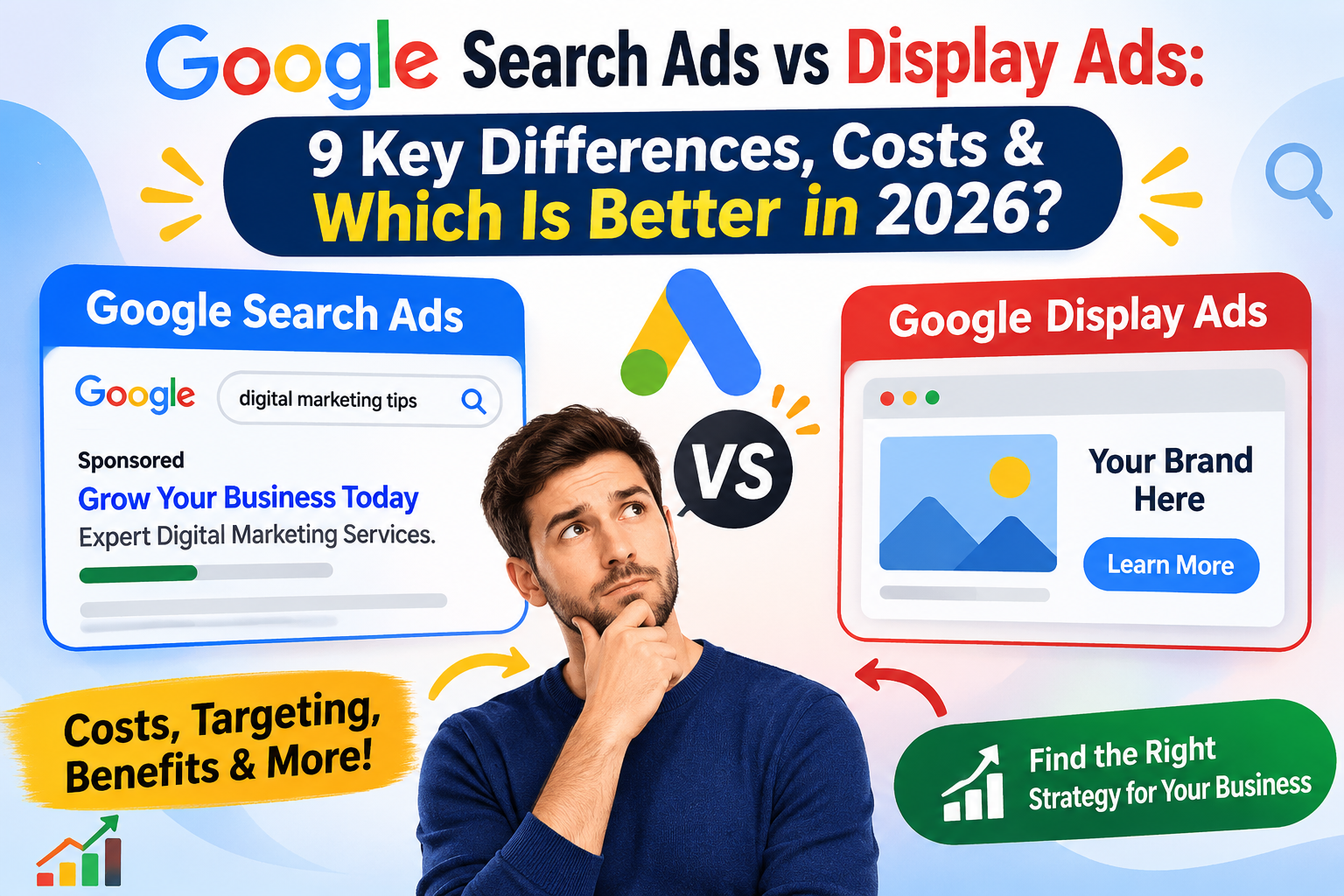
Google Search Ads vs Display Ads is an important comparison for businesses that want better results from Google advertising. Both campaign types help businesses reach potential customers, but they work in different ways. Search Ads target people who actively search for products or services, while Display Ads reach audiences through visual advertisements across supported websites, apps, and other placements.
The main difference comes down to user intent and advertising goals. Search Ads can help attract people who are already looking for a solution. Display Ads can build brand awareness, introduce products, and reconnect with interested audiences. Your choice should depend on your business goals, target audience, available budget, and conversion strategy.
For example, a US-based plumbing company may use Search Ads to reach homeowners searching for an emergency plumber. An online clothing store may use Display Ads to introduce its latest collection to relevant audiences. Both approaches can work well when businesses use the right targeting, creative assets, landing pages, and conversion tracking.
In this guide, you’ll learn the nine key differences between Google Search Ads and Display Ads, including their costs, targeting methods, reach, benefits, and performance. You’ll also discover when to use each campaign type, how to combine them, and how to choose the right advertising strategy for your business in 2026.
1. What Are Google Search Ads? How Do They Work?
When someone searches Google for a product or service, paid results may appear above or below organic listings. These advertisements are called Google Search Ads. Businesses use them to reach people who are already looking for something related to their offer.
For example, a homeowner in Chicago might search for “emergency plumber near me.” A plumbing company can show an ad for its emergency service. This makes Search Ads useful for businesses that want Website Traffic, phone calls, bookings, and Lead Generation from relevant searches.
How Google Search Ads Appear in Google Search Results
Search advertisements usually appear with a sponsored label. Their position depends on the auction and other eligibility factors. They can appear on Google Search and eligible search partner placements. Some placements may also appear on Google services such as Maps or the Shopping tab.
The Google Ads Search Network connects advertisers with relevant searches. Your ads may appear when a person’s query matches your keyword targeting. However, showing an ad does not guarantee a click. Your headline, offer, location, and relevance all influence the user’s decision.
How the Google Search Ads Auction Works
Every eligible search can trigger a Google Ads Auction. Google uses Ad Rank to decide whether an ad can appear and where it may show. The system considers your bid, ad quality, competition, search context, and expected impact of ad assets.
A higher bid does not automatically guarantee the top position. Google also considers how useful and relevant an advertisement may be. Its official Ad Rank guide explains these factors. You should also understand that Quality Score is a diagnostic tool, not a direct auction input.
Example of Google Search Ads for a US Business
Consider a roofing company serving Dallas, Texas. It wants more inspection requests after a storm. The company creates a Search campaign targeting relevant terms such as “roof repair Dallas” and “emergency roof inspection.”
Its ad explains the service and directs visitors to a page with a phone number and booking form. This approach connects the company with people who already need roofing help. The business can then measure calls, form submissions, and qualified enquiries.
Common Google Search Ad Formats and Campaign Features
Search campaigns commonly use Responsive Search Ads. Advertisers provide several headlines and descriptions. Google can test different combinations to fit available search placements. Businesses can also use assets such as sitelinks, call details, and location information where eligible.
These features help users understand the offer before visiting the website. Strong ad copy should match the search and the landing page. Avoid vague promises. Tell people what you offer and give them a clear next step.
2. What Are Google Display Ads? How Do They Work?
Google Display Ads are visual advertisements that can reach people while they browse websites and apps. Unlike Search Ads, they do not depend only on a person entering a relevant search query. They help businesses introduce products, build awareness, and reconnect with interested audiences.
These advertisements can include images, headlines, logos, and descriptions. Google uses the Google Display Network to make eligible placements available across websites, apps, and other supported properties. This gives businesses a way to reach potential customers beyond the search results page.
Where Google Display Ads Appear Online
Display advertisements can appear on participating websites and mobile apps. Their exact placement depends on campaign settings, available inventory, and targeting. A person might see a clothing advertisement while reading a fashion article or browsing a relevant website.
This wider reach can support Brand Awareness and product discovery. However, an impression does not mean someone wants to buy immediately. Advertisers should choose suitable audiences and review their placements to avoid wasting money on irrelevant traffic.
How the Google Display Network Works
The Google Display Network connects advertisers with available visual ad placements. Advertisers can provide creative assets and select audience or content-based targeting options. Google’s systems use these settings and other eligible signals to decide where ads may appear.
Google also offers automated features such as optimized targeting. These features can help find additional audiences based on campaign goals and available signals. Read Google’s official Display advertising guide before choosing your campaign settings.
Example of Google Display Ads for an Online Store
Imagine an online furniture store selling office chairs across the United States. It wants more people to discover its ergonomic chair range. The store creates visual advertisements showing the chairs, their main features, and a clear offer.
A person reading a home-office article may see one of these ads. They might click to explore the product or remember the brand for later. This is how visual advertising can support discovery before a customer makes a purchase decision.
Common Google Display Ad Formats
Google supports Responsive Display Ads that combine advertiser-provided assets. These may include images, logos, headlines, and descriptions. Google’s systems can adjust their size and appearance to fit eligible advertising spaces.
Businesses can also use uploaded display creatives where supported. These may include Image Ads and Banner Ads designed for particular placements. Good visuals should load clearly, show the product, and communicate one main message. Avoid filling every image with small text.
3. Google Search Ads vs Display Ads: Key Differences at a Glance
The main difference comes down to how people encounter each advertisement. Search Ads respond to relevant searches. Display Ads can reach people while they browse websites and apps. Both formats can support sales, but they often serve different parts of the customer journey.
Understanding the Search Ads and Display Ads Differences helps you choose the right campaign. The following table compares nine important factors. Use it as a starting point before reviewing your budget, audience, and business goals.
Search Ads vs Display Ads Comparison Table
| Difference | Google Search Ads | Google Display Ads |
|---|---|---|
| 1. Audience intent | Reaches people making relevant searches | Reaches people while they browse |
| 2. Ad placement | Search results and eligible search partners | Participating websites and apps |
| 3. Ad format | Mainly text-based search advertisements | Visual and responsive advertisements |
| 4. Targeting | Keywords and search-related signals | Audiences, content, and placements |
| 5. Cost model | Often uses CPC bidding | Can use CPC or impression-based bidding |
| 6. Conversion potential | Can capture existing demand | Can support discovery and conversions |
| 7. Brand awareness | Reaches people searching for solutions | Builds visibility across relevant placements |
| 8. Creative needs | Headlines, descriptions, and assets | Images, logos, headlines, and descriptions |
| 9. Best use cases | Leads, bookings, and demand capture | Awareness, reach, and remarketing |
The Biggest Difference Between Search and Display Advertising
The biggest difference is the user’s situation when an ad appears. A Search user has entered a query that may show a clear need. A Display user may simply be reading an article or using an app. That changes how you should write the message and measure its results.
This is the core of Search Advertising vs Display Advertising. Search often captures existing demand, while Display can help create interest. Neither format guarantees a sale. Your offer, audience, landing page, and follow-up process still matter.
4. Search Ads vs Display Ads: How Targeting Works
Good targeting puts an advertisement in front of people who may care about your offer. Search campaigns mainly use keywords and search-related signals. Display campaigns can use audience segments, content, and placement settings to reach suitable users.
Your Audience Targeting choices should reflect the customer’s needs. A local dentist may want nearby people searching for appointments. An online clothing store may want to reach people interested in fashion. The right method depends on what customers do before they buy.
Keyword Targeting in Google Search Ads
Keyword Targeting helps advertisers connect their ads with relevant searches. Google offers broad match, phrase match, and exact match options. Each match type can reach a different range of search queries. Negative keywords can help prevent ads from appearing for unwanted searches.
For example, a company selling paid home cleaning services may exclude searches for free cleaning jobs. It should also review its search terms report. This helps identify irrelevant queries and discover useful customer language. Read Google’s keyword matching guide when planning your campaign.
Audience Targeting in Google Display Ads
Display campaigns can use audience signals to reach people with relevant interests or needs. Options may include in-market segments, affinity segments, demographic information, and eligible data segments. Availability and campaign controls can vary, so check the settings in your account.
Demographic Targeting can help advertisers refine their reach using eligible demographic information. However, broad audience settings may still include people who are unlikely to buy. Review your reports and test suitable audience groups. Do not assume that a large audience automatically produces better results.
Contextual Targeting vs Search Intent
Contextual targeting uses information about the content or topic of a placement. For example, a camping equipment advertisement may appear beside an article about hiking. Search intent works differently because the user has entered a query that can reveal an immediate need.
A strong Search Advertising Strategy connects keywords with the right offer. A thoughtful Display Advertising Strategy connects visuals and audience signals with relevant browsing situations. Both approaches need regular checks. The goal is to reach people who have a genuine reason to consider your product.
Remarketing and Retargeting Differences
Remarketing and Retargeting are often used to describe advertising that reconnects with previous visitors or customers. For example, someone may view a product but leave without buying. A later advertisement can remind that person about the product, subject to Google’s rules and available audience eligibility.
This approach can help a business stay visible during a longer buying process. However, advertisers must follow applicable privacy laws and Google’s personalized advertising policies. Use suitable consent tools and avoid sensitive audience categories. Review Google’s personalized advertising policies before building audience lists.
5. Google Search Ads vs Display Ads: Cost, CPC & Budget Differences
Advertising costs depend on the market, campaign settings, competition, and bidding strategy. Search clicks can be expensive in competitive industries. Display costs can vary by audience, placement, and bidding method. There is no single price that applies to every business.
When comparing Search Ads vs Display Ads Cost, look beyond the price of one click. Consider how many visitors become qualified leads or paying customers. A cheap click has little value if it never creates a useful business result.
How Much Do Google Search Ads Cost in 2026?
A useful US benchmark comes from WordStream and LocaliQ’s 2026 search advertising study. It analysed 13,474 US-based campaigns running from April 2025 through March 2026. The report gives an overall median Cost Per Click (CPC) of $5.42 and a median conversion rate of 8.18%.
The same study reported a median cost per lead of $66.69 and a median click-through rate of 6.64%. These are broad figures across the study sample. Your industry, location, offer, and campaign setup can produce very different results. See the 2026 Google Ads benchmarks for more detail.
How Much Do Google Display Ads Cost in 2026?
Display pricing depends on the campaign’s bidding strategy and objective. Advertisers may use CPC bidding or impression-based options such as CPM. The amount can change with audience size, placement demand, competition, and creative quality.
Do not compare Display and Search using one average price without checking the measurement method. A click, an impression, and a completed conversion are different actions. Review the actual billing model in your campaign. Then compare the cost with the result that matters to your business.
Search Ads vs Display Ads: Which Is Cheaper?
Display campaigns can sometimes deliver lower-cost reach or clicks. However, cheaper traffic does not automatically mean better value. Search traffic may cost more because advertisers compete for people who are actively looking for a product or service.
For a fair comparison, calculate your Cost Per Acquisition (CPA). This measures how much you spend to gain a customer or another defined conversion. Also review Return on Ad Spend (ROAS) when you track purchase value. A campaign that costs more per click may still produce stronger business returns.
Google Ads Budget Examples for US Small Businesses
Your Campaign Budget should match the value of the customers you want to attract. Consider these examples as planning scenarios rather than fixed recommendations. Actual spending should depend on your industry, margins, competition, and available conversion data.
| Example monthly budget | Possible starting approach |
|---|---|
| $500 | Test one focused campaign with a narrow audience or service area |
| $1,000 | Test a core Search campaign and review qualified lead costs |
| $3,000 | Test separate campaigns when tracking and demand support them |
A local business may need a different budget from an online store. A company with high-value services may also accept a higher cost per lead. For a deeper cost breakdown, read DailyTecho’s Google Ads cost guide. It explains CPC, daily budgets, and ways to control waste.
Factors That Increase or Reduce Advertising Costs
Competition can raise the amount advertisers need to bid. Location also matters because customer demand differs between cities and regions. Weak ads and poor landing pages can reduce campaign performance, even when the budget is high.
Google considers several factors when calculating Ad Rank. These include the bid, ad quality, competition, and search context. Its Quality Score guide explains how expected click-through rate, ad relevance, and landing page experience are assessed. Use these insights to improve relevance rather than chasing a higher bid alone.
6. Which Ads Get Better Results: Search Ads or Display Ads?
The better format depends on what you want people to do. Search can connect a business with people who are actively looking for a solution. Display can introduce a brand or product to people who may not be ready to buy yet.
Measure Google Ads Performance using real business outcomes. Clicks and impressions show activity, but they do not prove profitability. Track enquiries, booked appointments, sales, and customer value. This gives you a clearer picture of what your advertising actually achieves.
Search Ads vs Display Ads Conversion Rates
A Google Ads Conversion Rate measures the share of ad interactions that lead to a defined conversion. Search campaigns may attract users with stronger immediate intent. Display campaigns may reach people earlier in the buying process, so their response can look different.
However, no format has a guaranteed conversion rate. A well-designed Display campaign can generate sales. A poorly managed Search campaign can waste money. Your offer, audience, landing page, and tracking setup all influence the outcome.
Which Ad Type Generates More Leads and Sales?
A local emergency repair company may benefit from Search because customers need help quickly. An online furniture store may use Display to introduce a new product range. Both can generate leads or sales when the campaign matches the customer’s situation.
The important question is not which format gets the most clicks. Ask which one brings customers who are likely to buy and remain profitable. Track the full path from the first visit to the final sale whenever your systems allow it.
CTR, CPC, CPA, and ROAS: Which Metrics Matter Most?
Click-Through Rate (CTR) measures how often people click after seeing an ad. Cost Per Click (CPC) measures the average cost of a click. Cost Per Acquisition (CPA) measures the cost of gaining a defined conversion, while Return on Ad Spend (ROAS) compares tracked revenue with advertising spend.
Each metric answers a different question. CTR helps assess engagement, while CPA helps assess conversion cost. ROAS can help online stores understand revenue efficiency. None should be viewed alone. Check profit margins, lead quality, and customer value before deciding whether a campaign is successful.
How to Measure Real Campaign Performance
Set up Conversion Tracking before judging a campaign. Track actions that matter, such as completed purchases, qualified forms, and phone calls. Google Ads can use the Google tag or linked Google Analytics data for conversion measurement, depending on your setup.
Google explains the options in its conversion measurement guide. You can also use Google Analytics 4 to understand website activity. Make sure the same sale is not counted twice as a primary conversion. Accurate data helps you make better budget decisions.
7. When Should You Use Google Search Ads?
Search Ads can be useful when people already know what they need. They may be comparing providers, looking for prices, or searching for a nearby service. Your advertisement can appear when a relevant search creates an eligible opportunity.
This format often suits businesses with clear services and strong customer intent. A local contractor, lawyer, or repair company can target searches related to its offer. The key is to send visitors to a page that answers their question and makes the next step easy.
Use Search Ads to Capture High-Intent Customers
Search Ads can reach users who are actively looking for a solution. Someone searching for “same-day AC repair in Phoenix” may need help soon. A relevant ad can explain the service and offer a direct way to request assistance.
This makes Search useful for demand capture. Still, not every query shows a strong buying need. Review search terms and focus on phrases that match your services. Use clear landing pages and avoid paying for irrelevant searches.
Best Industries for Google Search Advertising
Search can suit industries where customers actively look for providers. These may include home services, legal services, insurance, education, and some healthcare services. It can also work for software companies targeting people searching for specific business tools.
Some industries have strict advertising rules. Healthcare, financial services, and other regulated sectors should review Google’s policies before launching. Make sure your claims, targeting, and landing pages follow the rules that apply to your business.
Search Ads for Local Businesses and Service Providers
Local businesses can use location targeting to reach people in the areas they serve. A plumber in Denver may focus on nearby service locations instead of advertising across the entire country. Location assets and call features can also help eligible businesses connect with customers.
Your landing page should show the service area, phone number, and main offer. Keep the message consistent with the ad. If you promise emergency service, make sure someone can answer the phone and handle the request.
Signs Your Business Should Start With Search Ads
Search may be a sensible starting point when customers already search for your service. You should have a clear offer, a suitable landing page, and a way to track leads or sales. Your business should also be ready to respond when people contact you.
Before launch, review the likely search volume and competition. Use Google’s Keyword Planner to explore relevant terms. Start with a focused campaign and check the quality of incoming enquiries. Expand only when the results support more spending.
8. When Should You Use Google Display Ads?
Display Ads can help when your business needs to reach people before they search for a product. They can introduce a new brand, show a product visually, or remind previous visitors about an offer. This makes them useful for awareness and consideration campaigns.
A strong Display campaign needs suitable creative assets and clear audience settings. The advertisement should make sense in the place where people see it. Use a simple message and a relevant landing page. Then review whether the campaign reaches the right people.
Use Display Ads to Build Brand Awareness
Display Ads can put your brand in front of people while they browse relevant websites and apps. This can help a new business become more familiar to its target audience. Visual ads can show a product, explain a benefit, or introduce a seasonal offer.
Awareness campaigns should not be judged only by immediate sales. Review reach, impressions, frequency, visits, and later conversions where measurement allows. Make sure the audience is relevant. Large numbers do not help if the people seeing your ads are unlikely to become customers.
Display Ads for Remarketing and Customer Retention
A visitor may view a product and leave without purchasing. A suitable remarketing campaign can remind that person about the product later. This may help an online store bring interested visitors back to its website.
However, remarketing needs careful setup. Follow consent requirements and Google’s audience policies. Avoid showing the same advertisement too often. Keep the message useful and give people a reason to return, such as updated product details or a relevant offer.
Best Industries for Google Display Advertising
Display can suit businesses with visual products or services that benefit from repeated exposure. Online retail, travel, education, entertainment, and software companies may use it for awareness or remarketing. A furniture brand can show product images, while a software company can promote a product demonstration.
The format can also support businesses with longer buying journeys. People may need several visits before making a decision. Use helpful creative and a relevant offer. Measure the campaign according to its role rather than expecting every impression to create an immediate sale.
Signs Your Business Should Invest in Display Ads
Display may fit your business when you have clear awareness goals, useful visual assets, and a defined audience. It can also help when your website receives visitors who need more time before buying. Make sure you have a way to measure the campaign.
Do not launch Display simply because it seems cheaper. Review your placements and audience settings. Start with a controlled test and compare its results with your business goals. If the campaign brings irrelevant visits, adjust the targeting or creative.
9. Google Search Ads vs Display Ads for Small Businesses
Small businesses often have limited budgets and need clear results. They cannot afford to pay for traffic that has little chance of becoming a customer. The right campaign should match the business model, location, offer, and customer journey.
Google Ads for Small Businesses can work when campaigns have focused goals and reliable tracking. A local service provider may prioritize calls. An online store may focus on purchases. A startup may need to test demand before expanding its advertising budget.
Which Google Ads Campaign Is Better for Local Businesses?
A local business should consider how customers find its services. Someone searching for a nearby electrician may be ready to book. Search Ads can help the business appear for relevant local queries. Display may support awareness, but it may not capture the same immediate need.
Start by defining your service area and the actions you want customers to take. Use relevant location settings and a clear landing page. Track calls and qualified enquiries. Review the results before increasing the budget.
Search Ads vs Display Ads for E-Commerce Stores
An online store can use Search to reach people looking for specific products. Display can show product images and introduce new collections. Both formats can support the buying journey, but they should have separate goals and measurement.
For example, a store selling running shoes may target searches for a specific shoe type. It may also use Display to show a new collection to relevant audiences. Track purchases and revenue. Consider product margins, shipping costs, and returns when judging profitability.
Best Google Ads Strategy for Startups With Limited Budgets
A startup should begin with a clear offer and a focused audience. Search may help test demand when people already look for the product or service. Display may be useful later when the business needs wider awareness or wants to reconnect with visitors.
Avoid launching many campaigns at once. Start with a manageable test and define what counts as success. Track qualified leads, purchases, and customer value. A small campaign with useful data is more valuable than several campaigns that cannot be measured properly.
Realistic Budget Allocation Examples for Small Businesses
Consider a local service company with a $1,000 monthly budget. It might begin with one Search campaign targeting its main service area. An online store with a $2,000 budget could test product-focused Search and a separate Display campaign if it has enough traffic and suitable creative assets.
A software company with $3,000 may divide spending between high-intent searches and awareness or remarketing. These are examples, not fixed allocations. Review actual costs and conversion quality before changing the split. The business should keep enough budget for testing and learning.
10. Can You Run Search Ads and Display Ads Together?
Yes. A business can use both formats when each campaign has a clear role. Search can capture people actively looking for a solution. Display can build awareness and reconnect with eligible visitors. Together, they can support different stages of the customer journey.
However, running both does not guarantee better results. Each campaign needs suitable targeting, creative, budget, and tracking. Keep their objectives clear so you can understand what each one contributes.
How Search and Display Advertising Work Together
Imagine someone sees a Display ad for a project management tool while reading a business article. They remember the brand but do not click. A few days later, they search for project management software and find the company’s Search ad.
The two campaigns have supported different moments. Display introduced the brand, while Search captured an active query. This is one way businesses can use both formats without expecting them to perform the same job.
Build a Full-Funnel Google Ads Strategy
A full-funnel plan considers awareness, consideration, and conversion. Display may help introduce a product. Search can reach people comparing solutions. Remarketing can reconnect with eligible visitors who need more information before making a decision.
The campaign should follow the customer’s real buying process. A simple product may need fewer steps than an expensive business service. Use clear messages at each stage. Track the actions that show progress toward a sale.
How to Allocate Budget Between Search and Display
Start with the campaign that supports your most important business goal. If people already search for your service, Search may deserve more of the initial test budget. If your product is new and needs awareness, Display may have a useful role.
Review actual results before moving money between campaigns. Compare qualified leads, sales, and customer value. Do not shift budget because one campaign has more impressions or cheaper clicks. Those numbers need context.
How to Avoid Overlapping Campaigns and Wasted Spending
Separate campaigns make it easier to review performance. Check audience settings, placements, locations, and exclusions. Make sure each campaign has a clear purpose. Review whether Display placements bring relevant visits and whether Search terms match your offer.
Google provides campaign controls for different network settings. Check the current options in your account before launch. You can also read its Search Network guidance to understand eligible search placements.
11. Common Mistakes to Avoid When Choosing an Ad Type
Choosing a campaign based only on its format can lead to poor results. A business may select Display because clicks appear cheaper or choose Search without checking whether people actually search for its offer. Both decisions can waste money.
Before launching, understand your customer and the action you want them to take. Set a clear budget and measurement plan. Review the campaign after launch and make changes based on real data rather than assumptions.
Choosing Ads Without Understanding Search Intent
Search intent describes what a person wants when entering a query. Someone searching for “buy office chair” may be closer to a purchase than someone searching for “office chair design ideas.” The difference affects which message and landing page make sense.
Do not target every keyword that mentions your product. Review the query and consider the user’s likely need. Use negative keywords where appropriate. Make sure your ad answers the search rather than simply repeating the keyword.
Focusing Only on Cheap Clicks
Cheap clicks can look attractive in a report. But they may come from people who have little interest in buying. A campaign with a higher CPC can still produce better customers and stronger profit.
Compare CPA, conversion quality, and ROAS when suitable. A local business should review how many enquiries become paying customers. An online store should consider revenue, margins, refunds, and shipping costs. The lowest CPC is not always the best result.
Sending Paid Traffic to Weak Landing Pages
A good advertisement cannot fix a confusing website. Visitors need to understand what you offer and what they should do next. Slow pages, unclear prices, poor mobile layouts, and missing contact details can reduce conversions.
Use Landing Page Optimization to make the visitor’s next step clear. Match the page with the ad message. Show useful information and make forms easy to complete. Test the page on mobile devices because many customers browse and contact businesses through their phones.
Ignoring Conversion Tracking and Campaign Data
Without reliable tracking, you may not know which campaign creates customers. A report can show many clicks while the sales team receives few useful enquiries. This creates a false picture of success.
Check your conversion actions before launch. Make sure purchases, calls, and forms are recorded correctly. Compare Google Ads reports with your CRM or sales records where possible. Google’s conversion measurement documentation explains available measurement options.
Using Poor Targeting or Irrelevant Ad Creatives
Broad targeting can reach people who have no reason to buy. Weak images and unclear headlines can also reduce engagement. A Display ad should show why the product matters. A Search ad should answer the user’s query.
Review audience settings, search terms, and placements regularly. Replace creative assets that fail to explain the offer. Exclude unsuitable traffic when the available controls allow it. Small improvements can make your advertising more relevant.
12. How to Choose the Right Google Ads Campaign for Your Goals
The right campaign begins with a clear business goal. Think about whether you need immediate enquiries, online sales, wider awareness, or repeat visits. Then choose the advertising format that supports that goal and fits your available budget.
You should also consider your customer journey. Some people search when they are ready to buy. Others need time to learn about a product. A useful campaign meets people at the right stage and gives them a clear next step.
Choose Search Ads for Leads and Immediate Sales
Search is worth considering when customers actively look for your product or service. It can work well for local services, professional providers, and products with clear search demand. Use relevant keywords and send visitors to a page that supports the action you want.
Start with a focused campaign and track real conversions. Review the search terms that trigger your ads. If the campaign brings qualified enquiries at a sustainable cost, you can consider expanding it.
Choose Display Ads for Awareness and Audience Reach
Display can fit businesses that want to introduce a product or reach relevant audiences across websites and apps. It can also support remarketing when people need more time before buying. Strong images and clear messages help users understand the offer.
Set an awareness or conversion goal before launch. Measure the results using suitable metrics. Do not judge an awareness campaign only by immediate sales. Review reach, engagement, website activity, and later conversions where tracking allows.
Choose Both for a Complete Advertising Strategy
Using both formats can make sense when your business needs to capture demand and build awareness. Search can reach people with active queries. Display can help introduce the brand and reconnect with eligible visitors.
Keep the campaigns separate enough to measure their roles. Set budgets according to business priorities and actual results. If one campaign does not produce useful outcomes, investigate the cause before adding more spending.
Google Search Ads vs Display Ads: Final Decision Checklist
Before choosing, review your customer demand, budget, creative resources, and tracking setup. Ask whether people already search for your offer. Consider whether visual awareness could help customers discover it. Then decide which action matters most to the business.
Your final choice should reflect the evidence you collect. Start with a focused campaign, measure the results, and improve it over time. A clear strategy is more useful than choosing a campaign simply because it is popular.
13. Frequently Asked Questions
Business owners often have similar questions before launching a campaign. Some want to know which format costs less. Others want to understand conversion rates, placements, and whether both formats can run together.
The answers below explain the main differences in simple terms. Use them as a starting point, then review your own campaign data. Costs and results vary between industries, locations, audiences, and offers.
Are Google Search Ads Better Than Display Ads?
Neither format is better for every business. Search can reach people actively looking for a solution. Display can introduce products and build awareness while people browse. Choose based on your goal, audience, and ability to measure results.
Are Google Display Ads Cheaper Than Search Ads?
Display can sometimes offer lower-cost clicks or impressions. However, the actual value depends on conversions and customer quality. Compare the cost of gaining a customer rather than looking only at CPC.
Which Google Ads Type Has a Higher Conversion Rate?
Search may attract stronger immediate intent because users are actively looking for something. However, conversion rates vary by industry, offer, audience, and landing page. A well-managed Display campaign can also generate valuable conversions.
Can Google Display Ads Generate Sales?
Yes. Display campaigns can generate sales when the audience, offer, and creative match the customer. They can also support product discovery and remarketing. Track purchases and revenue to understand their contribution.
Do Google Display Ads Appear on Websites?
Yes. Display advertisements can appear on participating websites and apps within eligible Google Display Network inventory. Their exact placement depends on campaign settings and available inventory.
Should Beginners Start With Search Ads or Display Ads?
Beginners should start with the format that best matches their business goal. A service company with clear search demand may begin with Search. A visual brand seeking awareness may test Display. Start with a controlled budget and reliable tracking.
Can I Run Google Search Ads and Display Ads at the Same Time?
Yes. You can run separate Search and Display campaigns at the same time. Give each one a clear goal and review its results separately. This makes it easier to understand which campaign supports leads, sales, or awareness.
What Is the Difference Between Google Search Network and Display Network?
The Search Network shows eligible ads in response to relevant searches across Google search properties and participating search partners. The Display Network offers visual ad placements across participating websites and apps. Each network reaches users in a different browsing situation.
Final Thoughts: Choose the Campaign That Fits Your Business
The right advertising format depends on what your customers need and when they need it. Search can help you reach people who are already looking for a solution. Display can introduce your brand and keep your offer visible across relevant placements.
Start with one clear goal and a budget you can afford to test. Build relevant ads and send visitors to useful landing pages. Track leads, purchases, and customer value. Then use the results to improve your campaigns.
If you want to understand the wider paid advertising strategy, read DailyTecho’s complete guide to paid advertising in 2026. You can also explore its Google Ads campaign setup guide for practical steps.
Authoritative Sources
Google Ads documentation explains how the networks, auctions, targeting, and conversion measurement work. The following resources can help you check current campaign settings and policies.
About the Google Search Network – Google Ads Help
About Display Ads and the Google Display Network – Google Ads Help
About Ad Rank – Google Ads Help
About Quality Score – Google Ads Help