

Cyberattacks rarely follow one simple path. An attacker might target an employee’s laptop, steal login details, and access a company’s cloud account. If security tools work separately, connecting these events can become difficult.
This is where XDR vs EDR in cybersecurity becomes an important discussion. Both technologies help businesses detect and respond to threats. However, they do not offer the same level of visibility.
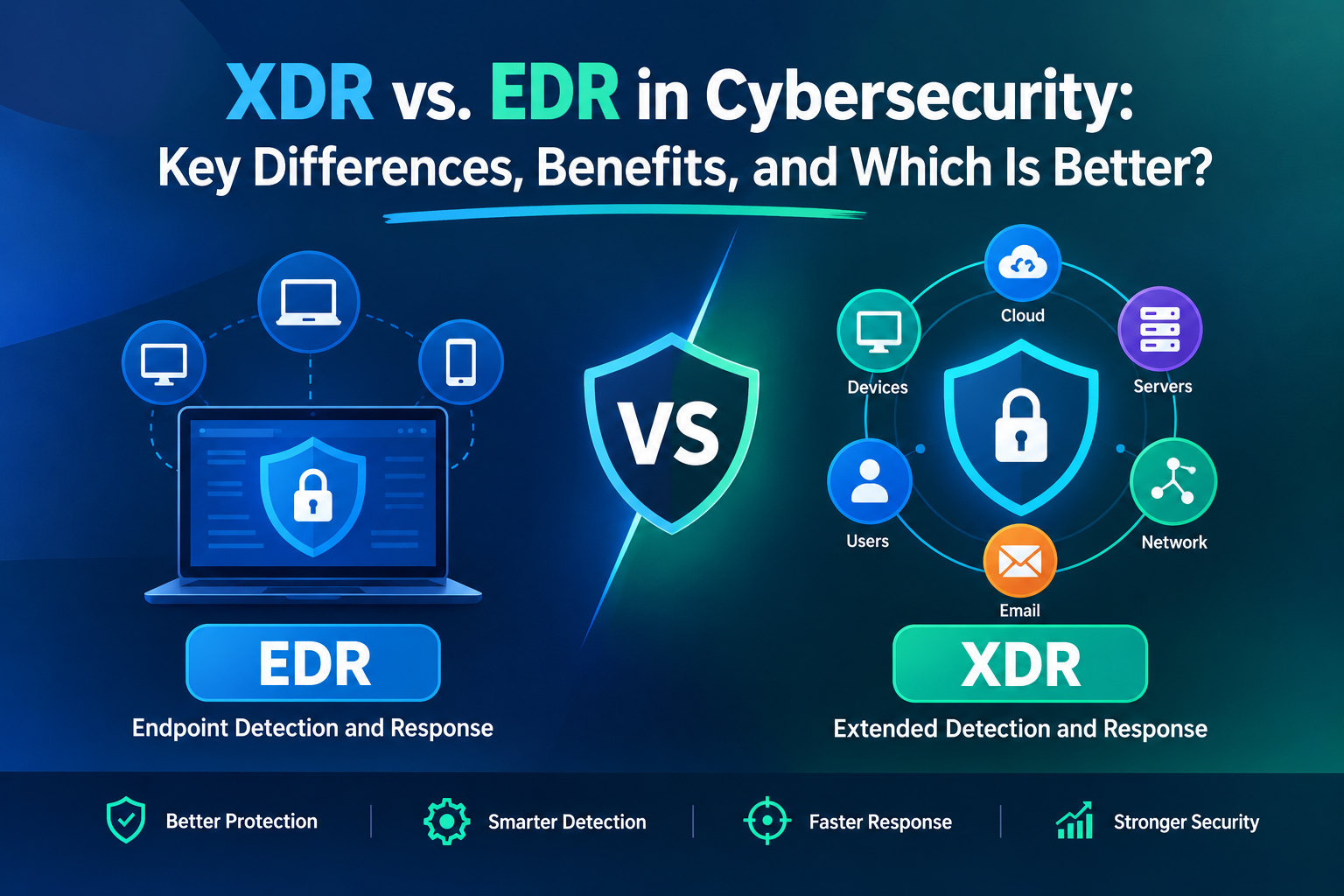
Endpoint Detection and Response (EDR) focuses on computers, servers, and other endpoint devices. Extended Detection and Response (XDR) can connect security signals from multiple sources. These may include endpoints, email, user identities, cloud services, and network tools.
Neither option is automatically right for every business. Your decision depends on your risks, existing security tools, budget, and available IT staff. This guide explains the differences in simple terms. It also covers costs, practical examples, limitations, and the factors you should consider before buying a solution.
1. What Is EDR in Cybersecurity?
Endpoint Detection and Response (EDR) is a security technology that monitors endpoint devices for suspicious activity. Endpoints include laptops, desktop computers, and servers. Some solutions also support virtual machines and other workloads. EDR collects information about device activity and helps security teams investigate possible attacks.
Traditional antivirus tools mainly focus on identifying known malicious files and other recognized threats. Modern antivirus products can offer broader protection. However, EDR security software adds deeper monitoring, investigation, and response features. It helps analysts understand what happened on a device and which actions may have caused an alert. This makes EDR an important part of modern Endpoint Security.
How EDR Detects and Responds to Threats
EDR uses Endpoint Monitoring and Security Telemetry to track activity on protected devices. It may examine running processes, file changes, login behavior, and network connections. Its detection engine can use rules, known threat indicators, and Behavioral Analysis to identify suspicious actions.
For example, an employee may open an attachment that starts an unusual program. EDR could detect suspicious process activity and create an alert. A security analyst can then review the evidence, investigate related events, and decide what to do. Depending on the product, the response may include isolating the device, stopping a process, or removing a detected threat. These capabilities support Threat Detection, Threat Response, and Security Incident Response.
Key Features of EDR Security Solutions
Modern EDR platforms offer more than basic file scanning. They can provide detailed activity records, incident timelines, investigation tools, and threat-hunting features. Some also support automated actions when specific conditions are met. These features help security teams understand threats before deciding how to respond.
The exact features depend on the vendor and subscription plan. When comparing endpoint detection tools, check their operating system support, detection methods, investigation history, and response options. Strong Endpoint Protection also depends on proper installation, regular updates, and reliable monitoring. A tool cannot protect a device effectively if its sensor is missing or its policies are poorly configured.
2. What Is XDR in Cybersecurity?
Extended Detection and Response (XDR) is a security approach that connects threat information from multiple sources. Instead of focusing mainly on individual endpoint devices, an XDR security platform can bring together signals from supported security products. These may include endpoint protection, email security, identity systems, cloud services, and network monitoring tools.
The main goal is to give security teams a broader view of possible attacks. For example, an unusual login might seem harmless on its own. A suspicious email and an infected laptop could reveal a larger incident when the events are connected. XDR supports Extended threat detection by helping analysts examine related activity across several systems. Its coverage depends on the data sources, integrations, and features available in the selected platform.
How XDR Collects and Correlates Security Data
XDR gathers security signals from connected products and analyzes them for meaningful relationships. This process is called Threat Correlation or Security event correlation. The platform may connect alerts that share a user account, device, time period, or other relevant indicator. This can help analysts identify a possible attack pattern instead of reviewing every alert separately.
Consider a hypothetical phishing incident. An employee receives a suspicious email, enters a password on a fake website, and then triggers an unusual login alert. An XDR platform with the right integrations may connect the email and identity events with suspicious endpoint activity. This broader view can improve Security Alert Prioritization and help teams decide which incidents need immediate attention. However, correlation does not guarantee that every connected event is malicious.
Which Security Layers Can XDR Monitor?
An XDR platform may monitor several security layers through its own sensors or supported integrations. Endpoint data can show suspicious programs and device activity. Email data can reveal malicious messages. Identity signals can highlight unusual logins or changes to account permissions.
Other integrations may support Network Security Monitoring and Cloud Security Monitoring. This can improve Attack Surface Visibility across connected systems. Still, not every platform supports every source. Some require additional licenses or third-party connectors. Before purchasing XDR, confirm which systems it covers and whether it can collect the information your business needs.
3. XDR vs. EDR: What Are the Main Differences?
The main XDR vs EDR differences involve coverage, data sources, and the way security events are investigated. EDR concentrates on endpoint activity. XDR can extend that investigation across several connected security layers. This difference matters when an attack affects more than one device or service.
In an XDR vs EDR comparison, it is important to look beyond the product names. Some EDR products include advanced features, while some XDR platforms have limited integrations. Compare the actual capabilities, not just the marketing labels. The right choice should address your security gaps without adding unnecessary cost or management work.
Detection Scope and Data Sources
EDR focuses on information collected from supported endpoint devices. It can help identify malicious processes, suspicious file changes, and unusual behavior. This detailed endpoint evidence is useful when an attack begins or operates on a computer or server.
XDR can combine endpoint information with other connected data sources. These may include email, identity, cloud, and network signals. This wider scope supports Cross-layer threat detection when related activity occurs across different systems. However, the platform can only analyze data it can access. Missing integrations or incomplete telemetry can leave important gaps.
Threat Investigation and Response
EDR helps analysts investigate endpoint events and understand the actions taken on a device. They may review process histories, examine suspicious files, and identify other affected endpoints. Depending on the product, they can also isolate devices or trigger other response actions.
XDR can provide additional context by connecting related alerts across supported systems. It may help analysts identify a compromised account, a suspicious email, and unusual endpoint behavior within one investigation. Some platforms support Automated Threat Response across connected products. However, response actions depend on permissions, configuration, and integration support. Human review remains important, especially when an automated action could interrupt business operations.
Visibility Across the Business Network
EDR gives security teams detailed visibility into endpoint activity. This is valuable when the main concern involves employee devices, servers, malware, or ransomware. However, endpoint-focused monitoring may not explain every event that happens in an email system or cloud account.
XDR can improve visibility across multiple connected security layers. It may help teams understand how an attack moves between devices, accounts, and services. This can support Unified security monitoring and broader investigations. It does not replace every network control or security monitoring system. Its visibility depends on the data it receives and the integrations available.
| Comparison factor | EDR | XDR |
|---|---|---|
| Coverage | Primarily endpoint devices | Multiple connected security layers |
| Data sources | Endpoint activity and telemetry | Endpoint data plus supported integrations |
| Threat correlation | Mainly endpoint-focused | Connects events across integrated sources |
| Response capabilities | Endpoint investigation and response | May coordinate responses across connected tools |
| Complexity | Requires endpoint deployment and ongoing tuning | May require wider integration and additional tuning |
| Typical use cases | Device protection and endpoint investigations | Cross-system investigations and broader threat visibility |
The table shows the general difference between the two approaches. Actual capabilities vary by vendor. Some platforms combine EDR and XDR features, so businesses should compare product specifications before making a decision.
4. XDR vs. EDR: How Do These Security Tools Work?
Both technologies collect security information, analyze activity, and help teams investigate threats. The difference lies in the scope of that investigation. EDR focuses on endpoint events, while XDR can connect endpoint events with signals from other integrated systems.
A useful comparison should also consider the complete response process. Detecting a threat is only one step. Teams must investigate the evidence, decide whether the activity is harmful, contain the incident, and restore affected systems. These steps form part of effective Security Incident Response and Incident Investigation and Remediation.
How EDR Identifies Suspicious Endpoint Activity
Imagine an employee downloads a file from an unknown website. The file starts a program that attempts to change system settings and contact an unfamiliar server. EDR may identify the unusual behavior and generate an alert based on the product’s detection rules and available telemetry.
The security team can examine the process history, file details, and related device events. It may use Threat Intelligence to check known malicious indicators. If the evidence supports a threat, the team can isolate the device or take another supported action. This process helps explain what happened and whether other devices need investigation. EDR improves visibility, but detection is not guaranteed.
How XDR Connects Threats Across Multiple Systems
Now imagine that the same suspicious file arrived through a phishing email. The employee also entered their password on a fake login page. The attacker then tried to access a cloud account. Looking at each event separately could make the full incident harder to understand.
An XDR platform with suitable integrations may connect these events through shared accounts, devices, or indicators. Analysts can then review the activity as part of a possible attack chain. This broader Threat Investigation can help them identify affected systems and coordinate response actions. The result depends on data quality and integration coverage. XDR can provide useful context, but analysts still need to validate the findings.
5. Benefits of EDR for Small and Medium-Sized Businesses
Small and medium-sized businesses often operate with limited IT budgets and staff. They still face risks from malware, stolen credentials, malicious attachments, and ransomware. EDR for businesses can provide detailed endpoint visibility without requiring every organization to deploy a large security platform.
The Benefits of EDR security include better investigation tools and more detailed records of suspicious device activity. These features can help businesses understand incidents and respond with greater confidence. However, EDR is only one part of a security plan. Access controls, software updates, reliable backups, email protection, and employee training remain important.
Faster Endpoint Threat Detection
EDR continuously monitors supported devices and can identify activity that deserves attention. Depending on its capabilities, it may detect unusual process behavior, suspicious file changes, or signs of ransomware. This can help a business investigate potential threats before they cause wider damage.
Detection speed depends on the product, configuration, and type of attack. Security teams must also receive and review alerts. A small business should check whether someone can respond outside normal office hours when needed. Without clear responsibility, even a useful alert may go unnoticed for too long.
Investigating Suspicious Files and Processes
EDR can help analysts trace suspicious activity back to a process, file, or user action. They may review when the activity began, which programs were involved, and whether the device contacted unusual destinations. This evidence can support a more accurate investigation than relying on a single antivirus alert.
These details also help teams decide whether other devices need checking. For example, an administrator may find that a suspicious file appeared on several employee laptops. The team can investigate the affected devices and take suitable action. Good endpoint security management includes recording what happened and reviewing how the incident occurred.
When EDR May Be Enough
EDR may be a reasonable starting point for a small business that needs stronger endpoint monitoring. This may apply when most important risks involve employee devices and servers. It can also suit an organization that already has separate email, identity, firewall, and cloud security controls.
However, businesses should not assume that endpoint coverage addresses every risk. A compromised cloud account may require identity monitoring and account protection. A phishing campaign may need email security controls. The decision in XDR vs EDR for small businesses should reflect the full environment, not only the number of employees or devices.
6. Benefits of XDR for Modern Businesses
Modern businesses often use cloud applications, remote devices, email services, and several security products. Each system may generate its own alerts. Investigating them separately can take time and make it harder to see how an attack develops. XDR can help connect these signals when the required integrations are available.
The Benefits of XDR security include broader visibility and the ability to investigate related events across connected systems. This can help security teams focus on incidents that affect more than one layer. However, XDR is not a guarantee against breaches. It still needs accurate data, sensible configuration, and people who can act on the findings.
Connecting Alerts From Multiple Security Systems
An XDR platform can collect alerts from supported security products and identify possible relationships between them. For example, an unusual login might appear alongside a suspicious email and endpoint alert. The platform may connect these events into one investigation.
This can reduce the need to switch between separate consoles during an incident. It may also help analysts prioritize alerts based on their context. However, poorly configured integrations can create missing data or noisy alerts. Businesses should test the platform with their existing tools before relying on it for critical investigations.
Improving Threat Investigation and Visibility
XDR can help security teams examine an incident across multiple layers. They may review an email, trace a user login, inspect endpoint behavior, and identify affected cloud services. This broader context can make it easier to understand the possible scope of an attack.
For organizations with a Security Operations Center (SOC), XDR may support daily alert review and incident investigation. Some platforms also integrate with a Security Information and Event Management (SIEM) system. These tools can serve different purposes, although their features sometimes overlap. Businesses should compare their actual requirements before buying both products.
When XDR May Be the Better Fit
XDR may be useful when a business needs to investigate activity across endpoints, identities, email, and cloud systems. It can also suit organizations that use several compatible security tools and want a more connected view of their alerts.
Larger environments may benefit when their security teams struggle to connect information from different sources. Still, XDR can introduce extra licensing, integration, and management work. Its value depends on whether the broader visibility solves a real problem. Buying a wider platform without a clear use case can waste resources.
7. XDR vs. EDR: Which Is Better for Your Business?
There is no single winner in the XDR vs EDR debate. EDR may meet the needs of a business that mainly requires detailed endpoint monitoring and response. XDR may be more suitable when the organization needs to investigate threats across multiple connected systems.
The best decision starts with a review of current risks and security gaps. Identify which devices and services need protection. Check how alerts are handled and whether your current tools share useful information. Then compare solutions based on real requirements. This approach makes Choosing an XDR or EDR solution more practical than selecting a product simply because it offers more features.
Choosing EDR for Endpoint-Focused Protection
EDR may be a good fit when the main priority is monitoring laptops, desktops, and servers. It can help teams investigate suspicious processes and respond to endpoint incidents. It may also suit organizations that already use separate tools for email, identity, and cloud protection.
Before choosing EDR, check device coverage, operating system support, alert quality, and response features. Confirm that the team can manage alerts and maintain the software. A solution that fits the business’s staffing and technical needs may be more useful than one with features the organization cannot operate effectively.
Choosing XDR for Broader Security Visibility
XDR may fit businesses that need to connect security events across several systems. This includes organizations that use cloud services, remote work tools, and multiple security products. Cross-layer visibility can help investigators understand how related events fit together.
For XDR vs EDR for enterprises, integration and scale are especially important. Large organizations may need support for many devices, business units, cloud environments, and existing security platforms. They should test how the product handles data volume, alert prioritization, access controls, and response workflows before making a final choice.
Factors to Consider Before Choosing a Solution
Business size matters, but it should not determine the decision on its own. A small company with sensitive data and complex cloud use may need broader monitoring. A large company with a well-managed endpoint environment may still gain value from a focused EDR deployment.
Review the existing tools, IT resources, budget, compliance needs, and monitoring requirements. Consider who will investigate alerts, how quickly the team must respond, and whether outside help is available. The right Cybersecurity solutions for businesses should match the actual risk level and operational capacity. It should also support a clear plan for improving security over time.
| Decision factor | What to evaluate |
|---|---|
| Business size | Number of users, devices, locations, and systems |
| Existing tools | Current endpoint, email, identity, cloud, and network controls |
| IT resources | Staff availability, skills, and response coverage |
| Budget | Licensing, setup, training, support, and ongoing operations |
| Compliance needs | Applicable security, audit, and reporting requirements |
| Monitoring requirements | Endpoint-only visibility or connected investigations across systems |
8. XDR vs. EDR: Costs, Deployment, and Management
The cost difference between XDR and EDR depends on the products and services involved. EDR pricing may depend on protected devices, licensing tiers, and support. XDR pricing may also reflect data sources, integration features, retention, and other platform capabilities. Some vendors bundle several security functions into one subscription.
When comparing XDR vs EDR pricing, do not focus only on the advertised license fee. Calculate the expected cost of setup, staff time, training, integration, support, and ongoing monitoring. The cheapest product may not be the most economical if it requires extensive manual work. Likewise, a more expensive platform may not provide enough value for a business with simple security needs.
What Affects XDR and EDR Pricing?
The number of users and endpoints can affect licensing costs. Product features, data retention, support levels, and contract terms can also change the total price. Some providers offer separate packages for advanced investigation or response features.
EDR software cost and XDR pricing vary widely by vendor. A reliable comparison should use current quotes based on the same number of devices and the same support period. Ask whether onboarding, premium support, integrations, and incident response services are included. Avoid relying on an advertised starting price that excludes essential features.
Deployment, Integration, and Staff Requirements
EDR deployment usually involves installing endpoint sensors, setting policies, checking device coverage, and tuning alerts. The organization must also decide how incidents will be investigated and when a device should be isolated. These steps require planning even when the software is easy to install.
XDR deployment may involve more work because several systems must share relevant data. Teams may need to configure connectors, manage permissions, map alerts, and test response actions. Effective XDR deployment and management requires clear ownership and regular review. Businesses with limited internal expertise may consider a managed service, but they should check its scope and response commitments carefully.
Questions to Ask Before Buying
Ask vendors which operating systems, cloud services, and security tools their products support. Find out which integrations are included and which require extra licenses. Confirm how the platform prioritizes alerts and what response actions it can perform.
Also ask about data retention, reporting, onboarding, and support hours. Request a demonstration based on a realistic incident that matters to your business. If possible, run a trial with representative devices and systems. This gives your team a chance to assess usability, integration quality, and alert accuracy before signing a contract.
9. Can XDR Replace EDR?
XDR does not always replace EDR. Some XDR platforms include endpoint detection capabilities, while others rely on separate endpoint products or integrations. The answer depends on the architecture and licensing of the specific solution.
In many environments, XDR and EDR integration allows the technologies to work together. EDR supplies detailed endpoint information and response functions. XDR adds context from other connected security layers. Before removing an existing tool, confirm that the replacement offers the same required protection, monitoring, and response capabilities.
How XDR and EDR Can Work Together
EDR can provide detailed information about a suspicious process on an employee’s computer. XDR may connect that event with a phishing email, an unusual login, or suspicious activity in a cloud application. Together, these signals can help the security team understand the incident more fully.
The exact arrangement varies by product. Some vendors combine endpoint and cross-layer capabilities within one platform. Others need separate subscriptions or third-party integrations. Review the licensing, sensor coverage, data flow, and response controls before deciding whether a separate EDR product is still needed.
Understanding Native and Open XDR Platforms
Native XDR generally emphasizes integrations within a vendor’s own security ecosystem. This may simplify setup when a business already uses compatible products from that vendor. However, organizations should check whether it supports their full environment and whether additional licenses are required.
Open XDR generally emphasizes connections with security products from different vendors. This may help businesses that already use a mixed security environment. Yet, the term does not guarantee universal compatibility. Confirm which integrations are available, what data they provide, and whether the platform can take response actions through them.
10. Common XDR and EDR Mistakes to Avoid
Buying security software does not automatically create an effective security program. Both EDR and XDR can produce alerts that need investigation. Poor configuration, missing data, and unclear responsibilities can weaken their value.
Understanding EDR limitations and XDR limitations helps businesses set realistic expectations. EDR may lack broad visibility when events occur outside endpoints. XDR may require more integration and management effort. Neither solution removes the need for secure configurations, regular updates, backups, and a documented incident response plan.
Relying on Alerts Without Investigating Them
An alert is a signal that activity may need attention. It is not always proof of an attack. Teams should review the evidence, check related activity, and decide whether further action is needed.
Businesses should also define who handles urgent alerts and how incidents are escalated. Automated actions can help, but they need careful testing and suitable safeguards. If a platform isolates a device incorrectly, normal business work may stop. Response policies should balance security needs with operational risks.
Ignoring Integration and Configuration
Missing sensors can leave endpoints unmonitored. Broken connectors can prevent an XDR platform from receiving important events. Poorly tuned rules can also create too many alerts or hide meaningful activity among routine events.
Regular checks help reduce these risks. Review device coverage, integration status, permissions, and alert quality. Test whether the team receives the information it needs during an incident. Cybersecurity best practices include maintaining accurate asset records, reviewing access rights, and checking that security controls continue to work as the business changes.
Choosing Tools Without Defining Security Goals
A business should identify its most important risks before choosing a platform. It may need better endpoint monitoring, improved visibility into cloud accounts, or faster investigations across multiple systems. Each need can lead to a different product choice.
Define success in practical terms. For example, the organization may want to reduce investigation time, improve device coverage, or ensure that critical alerts reach the right person. Then evaluate the available tools against those goals. This helps prevent spending money on features that do not address the actual problem.
11. XDR vs. EDR: Real-World Business Use Cases
The best way to understand EDR use cases and XDR use cases is to examine common business situations. The examples below are hypothetical. They illustrate how the tools may help, not verified customer results or guaranteed outcomes.
Different organizations face different risks. A small office may mainly need to protect employee devices. A cloud-based company may need to connect identity and endpoint events. A large security team may need a broader view of incidents that cross several systems. These needs should guide the choice.
A Small Business Protecting Employee Devices
Hypothetical scenario: A small accounting firm manages employee laptops and a file server. An employee opens a suspicious attachment, and the device begins running an unusual process. The firm uses EDR to review the process history, examine related activity, and isolate the device if needed.
The endpoint evidence helps the firm investigate the incident and check whether other devices show similar signs. However, the firm must also consider whether the employee’s email account or cloud credentials were exposed. EDR may address the endpoint part of the incident, while other security controls may be needed for the remaining risks.
A Growing Company Monitoring Cloud and Network Threats
Hypothetical scenario: A growing company uses cloud applications, remote employee devices, and several security products. Its IT team receives alerts from different consoles and struggles to understand which events are related. The company evaluates an XDR platform that supports its existing systems.
If the necessary integrations are available, XDR may connect a suspicious login with an endpoint alert and other relevant activity. This can give the team more context during an investigation. The company must still check data quality, response permissions, and alert handling before relying on the platform.
A Security Team Investigating a Multi-Stage Attack
Hypothetical scenario: A business discovers a phishing email, an unusual account login, and suspicious software activity on a laptop. Each event appears in a different security system. Investigators need to determine whether these events form part of one attack.
EDR can provide detailed information about the laptop. XDR may connect that evidence with email and identity signals when the platform supports those sources. The security team can then investigate the possible attack chain and decide which accounts or devices need containment. The example shows how broader visibility may help, but the findings must still be verified.
12. Frequently Asked Questions About XDR vs. EDR
Choosing between EDR and XDR often raises questions about protection, cost, and compatibility. The answers below explain the main points without assuming that one solution fits every organization. Always check the features of the specific product you plan to buy.
What Is the Main Difference Between XDR and EDR?
EDR focuses on endpoint devices such as laptops, desktops, and servers. XDR can connect security signals from endpoints and other supported sources, such as email, identities, and cloud services. The main difference is the scope of visibility and investigation.
Is XDR Better Than EDR?
Not in every situation. EDR may meet the needs of a business that mainly requires endpoint monitoring and response. XDR may suit a business that needs to investigate threats across several connected systems. The right option depends on risk, integrations, budget, and available staff.
Can XDR Work Without EDR?
That depends on the XDR platform. Some products include endpoint detection capabilities. Others rely on separate endpoint security tools or integrations to collect endpoint data. Check whether the platform provides the endpoint coverage and response features your organization requires.
Is EDR Enough for a Small Business?
EDR can be an important part of a small business security plan. However, it does not automatically cover every risk involving email, user identities, cloud services, or network access. Businesses should assess their full environment and maintain other essential security controls.
Does XDR Include Endpoint Protection?
Some XDR products include endpoint protection or integrate closely with an endpoint security platform. Others require separate products or licenses. Check the product’s specifications to confirm which endpoint features, sensors, and response actions are included.
What Is the Difference Between XDR, EDR, and MDR?
EDR means Endpoint Detection and Response. It focuses on monitoring and responding to endpoint threats. XDR means Extended Detection and Response. It can connect security data across several supported layers. Managed Detection and Response (MDR) is a service in which a provider helps monitor, investigate, and respond to threats.
MDR may use EDR, XDR, or other security technologies. Therefore, EDR and XDR describe security capabilities, while MDR describes a managed service model. A business can choose a tool, a managed service, or a combination based on its needs.
Conclusion: XDR vs. EDR — Which Should You Choose?
The choice between XDR and EDR depends on what your business needs to see and protect. EDR provides detailed visibility into endpoint activity and supports investigations involving computers and servers. XDR can extend that view across multiple connected security systems. It may help teams connect events that would otherwise remain separate.
Before choosing, review your current security tools, identify gaps, and decide who will manage alerts. Compare product coverage, integrations, licensing, support, and response options. Test the platform against realistic business scenarios whenever possible. A well-configured solution that your team can manage is more useful than a complex product that does not fit your needs.
For more cybersecurity guidance, explore the DailyTecho Cybersecurity section. You can also review MITRE ATT&CK for information about common attacker tactics and techniques and CISA for practical security guidance. Use these resources to support your security planning and make a more informed decision.