

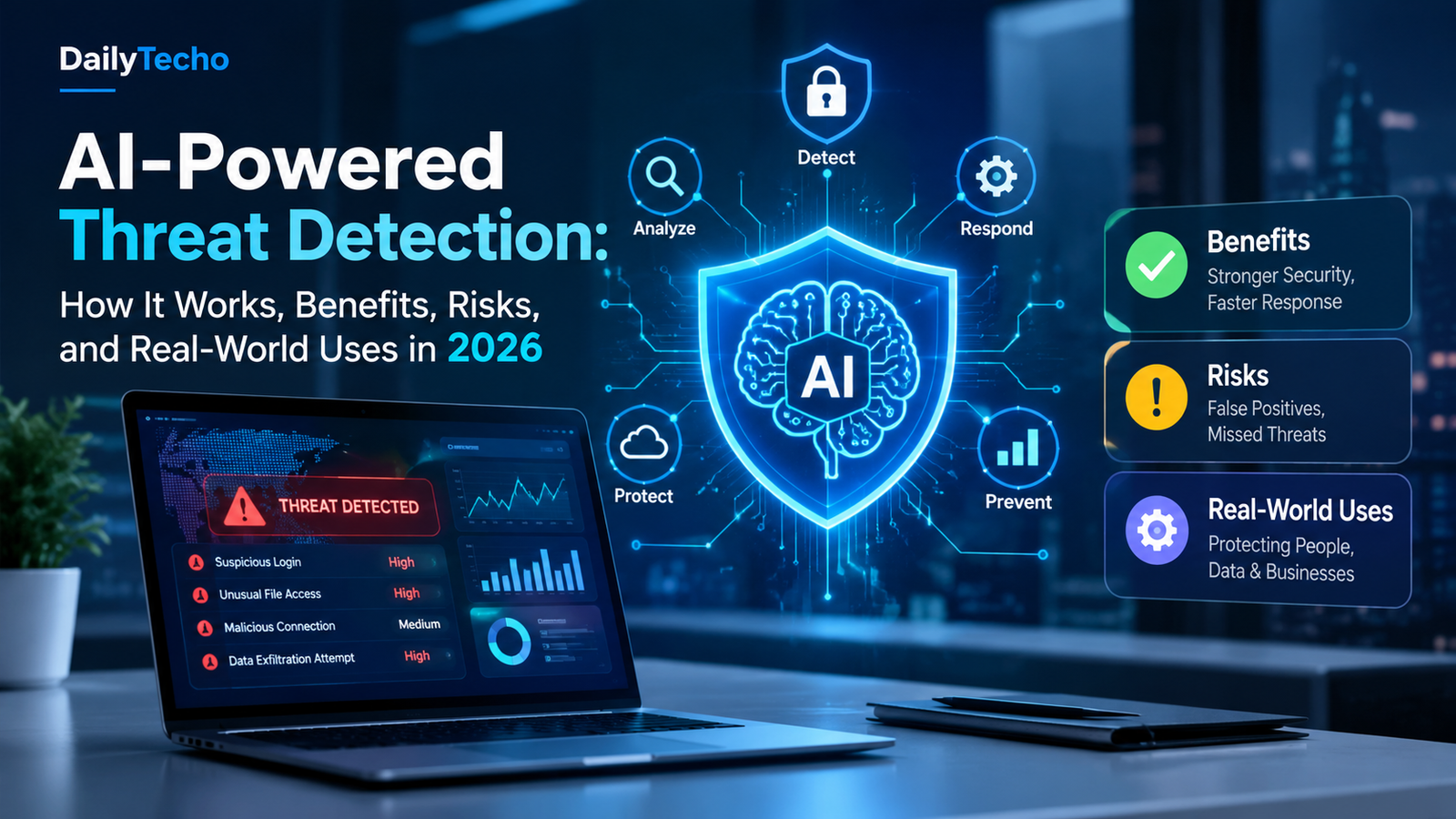
Cyberattacks rarely begin with a clear warning. An employee may click one suspicious link, or an attacker may enter through a stolen password. Small signs can quickly become serious security problems.
Traditional security tools remain important, but modern businesses face more data and complex attacks. Security teams must review activity across devices, email, cloud platforms, and user accounts. This creates a challenge when thousands of events appear every day.
AI-powered threat detection helps security teams analyze these signals and identify suspicious patterns. It can connect related events, prioritize alerts, and support faster investigations. However, it cannot detect every attack or replace every security control.
This guide explains how the technology works, which threats it can identify, and where its limits matter. You will also learn how to compare security platforms and choose an approach for your business in 2026.
What Is AI-Powered Threat Detection in Cybersecurity?
AI-powered threat detection uses artificial intelligence to analyze security data and identify activity that may indicate an attack. It can examine login events, network connections, email activity, files, and other signals. Depending on the product, it may use machine learning, behavioral analysis, or predefined security rules.
The goal is to help organizations find threats sooner and investigate them with better context. AI threat detection differs from a general AI assistant because it serves a specific security purpose. It works with security data and detection logic rather than simply answering questions or generating content. Businesses should also understand AI agent security when protecting systems that use intelligent agents.
AI-Powered Threat Detection Explained in Simple English
Imagine an employee who normally signs in from Chicago during business hours. One evening, the account connects from an unfamiliar location and downloads thousands of files. Each event might have a harmless explanation, but together they deserve attention. A security system can flag this unusual pattern for investigation.
This is an example of behavioral analytics and anomaly detection. The system compares current activity with known rules, historical patterns, or learned behavior. It then identifies activity that deserves further review. An alert is a warning, not proof that someone has committed an attack.
How AI Threat Detection Differs From General AI Tools
General AI tools can write emails, summarize documents, or answer questions. Security detection systems have a different job. They analyze events, search for attack indicators, and help security teams decide what requires attention. Some products also use generative AI to summarize evidence or support investigations.
Not every security product uses the same models or features. Some combine machine learning for threat detection with established rules and threat intelligence. Others focus on suspicious behavior or unusual activity. The exact capabilities depend on the product, its configuration, and the data it can access. You can also explore AI agent vulnerabilities to understand related security risks.
Why Businesses Use AI for Cyber Threat Detection
Businesses use these systems because their digital environments generate large amounts of security data. Employees may work remotely, use cloud applications, and access company systems from different devices. Attackers can exploit this complexity by stealing credentials or hiding inside normal activity.
Artificial intelligence in cybersecurity can help connect events that might otherwise remain separate. For example, a suspicious email, an unusual login, and an unexpected file transfer may point to one incident. This context helps analysts investigate more efficiently, although good logging and sound security practices remain essential.
How Does AI-Powered Threat Detection Work?
AI-powered detection usually follows a process that begins with collecting data and ends with investigation or response. The system gathers security events, analyzes patterns, identifies suspicious activity, and creates alerts. Some platforms can also recommend or perform approved actions when their configuration allows it.
The process varies by product. A system focused on endpoint security will examine different signals from a cloud security platform. More advanced deployments may combine several sources through AI security analytics. Effective security event monitoring depends on useful data, reliable integrations, and clear investigation procedures.
Step 1: Collect Security Data From Different Sources
Detection tools may collect information from laptops, servers, email gateways, cloud applications, identity systems, and network devices. These records can show when a user signs in, which files a process accesses, or where a device sends data. The available evidence depends on the organization’s monitoring setup.
Security teams may also use threat intelligence feeds containing information about known malicious domains, file indicators, and attacker activity. These feeds can add useful context to internal events. However, outdated intelligence and missing data can reduce their value. A tool cannot analyze activity it never receives.
Step 2: Use Machine Learning to Recognize Patterns
Machine learning algorithms learn patterns from data or apply trained models to new events. Some models classify activity based on labeled examples. Others identify unusual behavior that differs from a learned baseline. Security products may combine these methods with rules written by human analysts.
Deep learning in cybersecurity uses more complex neural network models for certain tasks, such as analyzing large or complicated datasets. It is not automatically better for every detection problem. A simpler model or clear security rule may work well for a specific task. The right approach depends on the data and the threat being examined.
Step 3: Establish Normal User and Network Behavior
Behavioral systems can learn how users and devices usually behave. For example, an accounting employee may regularly access payroll records during working hours. A sudden attempt to download a large number of unrelated files could appear unusual.
The system can compare this activity with the established baseline. Yet unusual behavior does not always mean malicious behavior. An employee may have a legitimate deadline or new responsibilities. Good AI-based cybersecurity combines automated signals with context, access policies, and human review. For more information about threats targeting AI systems, read our guide to prompt injection attacks.
Step 4: Detect Anomalies and Connect Related Signals
Network traffic analysis examines communication between devices, services, and external destinations. A security system may look for unusual data transfers, unexpected connections, or communication patterns linked to known threats. Endpoint and identity signals can help explain why that traffic matters.
Consider an unfamiliar login followed by a new process and a large outbound transfer. Each event might be ambiguous on its own. Together, they may indicate an account compromise. This form of suspicious activity detection helps analysts investigate a connected sequence instead of reviewing every alert in isolation.
Step 5: Prioritize Alerts and Support a Response
Detection platforms often assign severity levels or risk scores to events. A suspicious action affecting a critical server may deserve more attention than a routine policy warning. This process supports security alert prioritization and helps analysts decide what to investigate first.
Some platforms support automated incident response, such as isolating a device or disabling a risky session. These actions require suitable permissions and careful configuration. Automatic containment can limit damage, but an incorrect action may disrupt legitimate work. High-impact decisions should follow tested response rules and appropriate human oversight. Understanding AI agent hacking can also help security teams consider risks involving AI-powered systems.
Step 6: Review Results and Improve Detection
Security teams should regularly review alerts, investigate missed detections, and adjust rules when needed. They can test the system with authorized simulations and examine whether important events produce useful evidence. These checks reveal gaps in visibility, configuration, and response procedures.
A detection model does not improve reliably just because it receives more data. The data must be relevant, representative, and handled correctly. Teams should also track changes in attacker behavior and normal business activity. This ongoing review makes automated threat detection more useful and helps reduce avoidable alert noise.
The AI Threat Detection Process at a Glance
| Stage | What happens | Why it matters |
|---|---|---|
| Data collection | The system gathers security events | Provides evidence for analysis |
| Pattern analysis | Models and rules examine the data | Helps identify suspicious behavior |
| Event correlation | Related signals are connected | Adds context to possible attacks |
| Alert prioritization | Events receive attention levels | Helps teams focus on serious risks |
| Investigation | Analysts review the evidence | Separates likely attacks from harmless activity |
| Response | Teams contain or resolve incidents | Helps limit potential damage |
| Evaluation | Results and gaps are reviewed | Improves detection and response processes |
What Types of Cyberattacks Can AI Detect?
AI systems can help identify several types of cyberattacks. Their effectiveness depends on the available data, detection methods, and security settings. They can examine emails, files, account activity, and network behavior. However, businesses should treat AI alerts as evidence for investigation rather than automatic proof of an attack.
Strong cyber threat detection combines different signals and security controls. A system may detect suspicious behavior even when it does not recognize the exact attack. This can support real-time threat detection when the platform processes relevant data quickly. Actual detection speed varies by product and deployment.
Phishing Emails and Business Email Compromise
AI phishing detection can examine sender information, suspicious links, message patterns, and other email signals. Some tools also look for unusual requests involving payments, passwords, or confidential information. These checks can help identify messages that imitate trusted colleagues or suppliers. However, carefully written phishing emails can still pass through security filters.
Business email compromise often targets payment processes and trusted relationships. An attacker may use a stolen account to request a bank transfer. Security tools can flag unusual sender behavior or unexpected communication patterns. Employees should still verify sensitive payment requests through a separate, trusted communication channel.
Malware and Suspicious File Behavior
AI malware detection can examine how files and processes behave after execution. For example, a program may attempt to change system settings, access protected files, or contact suspicious servers. These behaviors can provide useful evidence even when the file has no known malware signature.
Malware behavior analysis can help identify threats that traditional signature checks miss. However, legitimate software may perform similar actions for valid reasons. Security teams must review the process, its origin, and its activity. Combining behavioral detection with endpoint protection and regular updates provides stronger coverage.
Ransomware Activity
Ransomware detection focuses on signs that files or systems may be under attack. A system may identify rapid file changes, unusual encryption activity, attempts to disable security tools, or suspicious access to shared folders. Early alerts can help a team investigate before the incident spreads further.
Detection alone cannot guarantee that ransomware will be stopped. Organizations should maintain offline or otherwise protected backups and test their recovery process. They should also restrict unnecessary permissions and patch exposed systems. CISA’s #StopRansomware Guide provides practical guidance for preparation, response, and recovery.
Suspicious Logins and Account Takeovers
AI systems can examine sign-in times, device details, location signals, failed attempts, and access patterns. An account that suddenly downloads sensitive files after an unfamiliar login may require investigation. These signals can help detect stolen credentials or possible account misuse.
Location changes do not automatically prove an account has been compromised. Remote workers may travel, and network routing can affect location estimates. Security teams should review multiple signals before taking action. Multifactor authentication, strong passwords, and conditional access policies remain important defenses.
Insider Threats and Unusual Data Access
Insider threats may involve deliberate misuse, compromised accounts, or accidental data exposure. Monitoring tools can flag unexpected downloads, unusual access to confidential records, or attempts to move company data outside approved systems. These alerts can help teams investigate possible data loss.
However, unusual behavior does not prove malicious intent. An employee may need access for a new project or urgent task. Organizations should apply clear access policies and respect employee privacy. Investigations must follow company procedures and applicable laws rather than relying on an automated score alone.
Unusual Network Activity and Zero-Day Attacks
Network threat detection can identify connections, traffic patterns, and data transfers that differ from expected activity. This may reveal command-and-control communication, unexpected external connections, or suspicious movement between systems. Combining network signals with endpoint and identity records can make investigations more informative.
Zero-day threat detection is more challenging because defenders may not have a known signature or established indicator. AI may identify unusual behavior linked to an unknown exploit, but it cannot guarantee detection. Effective defense also requires timely patching, network segmentation, least-privilege access, and tested incident response procedures.
AI Threat Detection vs. Traditional Threat Detection
Traditional security systems often use signatures, predefined rules, and known indicators to identify threats. These methods remain valuable because they can detect recognized patterns efficiently. AI-assisted systems add other techniques, including behavioral analysis, anomaly detection, and correlation across different data sources.
The two approaches are not complete alternatives. Many modern security products combine established rules with machine learning and other analytical methods. The right setup depends on your risks, available data, budget, and team. A layered security strategy is generally more useful than relying on a single detection method.
How Traditional Signature-Based Detection Works
Signature-based detection compares files or activity against known patterns of malicious behavior. If a file matches a recognized malware signature, the security tool may block or flag it. Rules can also identify specific events, such as repeated failed logins or connections to known malicious destinations.
This approach works well when the threat matches an available signature or rule. However, new malware, modified files, and unfamiliar attack methods may escape specific checks. Rule-based systems can also generate false alerts when their conditions are too broad. Regular updates and complementary detection methods help address these limitations.
How AI-Based Threat Detection Works Differently
AI-assisted detection can examine relationships between events and identify behavior that differs from established patterns. For example, a system may flag unusual file access even when the file itself has no known malicious signature. It can also help connect events across devices, accounts, and applications.
This capability does not make AI automatically more accurate. A model may miss a threat or flag legitimate activity. Results depend on data quality, model design, configuration, and the attack itself. Combining AI with established security rules gives teams multiple ways to identify suspicious activity.
Key Differences in Speed, Unknown Threats, and False Positives
Both approaches can process events quickly, but their performance depends on implementation. Traditional tools can match known signatures efficiently, while AI-assisted tools may examine more complex patterns. Neither approach guarantees that unknown attacks will be identified or that every alert will be correct.
| Factor | Traditional detection | AI-assisted detection |
|---|---|---|
| Known threats | Matches known signatures and rules | Can combine known indicators with behavioral signals |
| Unknown threats | May miss unfamiliar patterns | May identify suspicious behavior without a known signature |
| Processing speed | Often fast for predefined checks | Depends on data volume and analytical design |
| False positives | Can result from broad or outdated rules | Can result from incorrect or incomplete behavioral models |
| Human review | Needed for complex investigations | Needed for context, validation, and response decisions |
| Operating costs | Depend on tools and deployment | Depend on licensing, data volume, integrations, and staffing |
Should Businesses Use AI and Traditional Detection Together?
Businesses should consider how different controls support one another. Endpoint protection, network monitoring, identity security, email filtering, and reliable backups address different parts of the risk. AI-assisted analysis can connect signals from these controls when the platform supports the required integrations.
For example, a known malicious file may trigger a traditional signature alert. AI-assisted analysis may then connect that event to an unusual login and suspicious network traffic. The combined evidence can help analysts understand the incident. This approach supports stronger detection without assuming that any single tool can stop every attack.
7 Key Benefits of AI-Powered Threat Detection
AI can help security teams process large volumes of data and identify activity that deserves attention. It can also connect related events and support investigations across different systems. These capabilities are valuable when organizations have more alerts than analysts can review manually.
However, benefits depend on the quality of implementation. Poor data, weak configuration, and unclear response procedures can reduce the value of a platform. Businesses should measure real outcomes instead of relying only on vendor promises. Useful measures include investigation time, alert quality, and response effectiveness.
1. Faster Analysis of Large Amounts of Security Data
Security systems can generate thousands of events from users, endpoints, networks, and cloud applications. Reviewing every event manually can consume significant time. AI-assisted analysis can process many signals and help identify patterns that deserve closer attention.
This does not mean every investigation becomes faster automatically. Data delays, poor integrations, and complex incidents can still slow response. Teams should test performance using their own systems and workloads. The goal is to reduce unnecessary manual review while preserving careful investigation.
2. Better Prioritization of Security Alerts
Not every alert represents the same level of risk. An unusual event on a critical server may deserve more attention than a low-impact policy warning. Security alert prioritization helps teams focus on events that may have greater consequences.
A useful system considers context, such as the affected asset, account privileges, and related activity. Analysts should also understand why an alert received its severity level. Clear explanations make it easier to validate findings and avoid ignoring important warnings.
3. Continuous Monitoring Across Connected Systems
Modern businesses use laptops, cloud services, email platforms, mobile devices, and remote access tools. Monitoring these environments can be difficult when each system produces separate records. Integrated detection tools can bring supported data sources into a more connected view.
The coverage still depends on configuration and product support. A platform cannot monitor a service that has not been connected or configured correctly. Businesses should identify important assets first and verify that relevant events reach the detection system.
4. Improved Detection of Unusual Behavior
AI-assisted systems may identify patterns that do not match known signatures. For example, an account may access an unusual number of files after signing in from a new device. This combination can provide a reason to investigate possible account misuse.
Such findings are useful, but they require context. A new employee, software update, or approved data transfer can also create unusual activity. Analysts should confirm whether an event violates policy or shows other signs of an attack before taking major action.
5. More Productive Security Analysts
Security analysts often spend time collecting logs, grouping alerts, and preparing investigation notes. Some platforms can automate parts of these tasks or summarize related evidence. This may leave analysts more time for complex investigations and threat hunting.
Automation should support skilled staff rather than replace their judgment. Analysts still need to understand business operations, validate evidence, and recognize unusual attack patterns. Training is also important because staff must understand how the tools work and where their limitations lie.
6. Faster Incident Investigation and Response
When an attack occurs, teams need to understand which systems were affected and what happened first. Connected alerts can help build a timeline and reveal related activity. Some tools can also support automated incident response by performing approved containment actions.
Speed is useful only when actions are appropriate. Isolating a compromised laptop may limit damage, but disabling a critical server could interrupt business operations. Organizations should define response rules in advance, test them, and require approval for actions with significant consequences.
7. Security Monitoring That Can Scale With Business Growth
As a business grows, it may add employees, devices, cloud services, and customer data. Monitoring requirements grow with that environment. Centralized tools can help teams review activity across supported systems without relying entirely on separate dashboards.
Scaling still requires planning. More data can increase storage costs, alert volume, and investigation demands. Businesses should review licensing, data retention, integration capacity, and staffing before expanding deployment. The aim is reliable security coverage, not simply collecting the largest possible amount of data.
Risks and Limitations of AI Threat Detection
AI can improve parts of security monitoring, but it also introduces practical risks. A system may generate false alerts, miss attacks, or make poor decisions when its data is incomplete. Businesses must understand these limits before trusting automated recommendations or response actions.
Security leaders should evaluate the technology as part of their wider risk management process. The NIST AI Risk Management Framework offers guidance for managing risks related to AI systems. It emphasizes responsible use and risk evaluation rather than assuming that AI is reliable by default.
False Positives and Alert Fatigue
False positive alerts occur when a system flags legitimate activity as suspicious. For example, an employee may download many files while preparing a valid report. A detection tool could treat the activity as unusual even when no attack has occurred.
Too many false alerts can overwhelm security teams. Analysts may spend time investigating harmless events and overlook serious warnings. Organizations should review alert quality, tune detection rules, and measure false positives over time. They should not reduce alert volume by disabling important controls without understanding the risks.
Missed Attacks and False Negatives
A false negative occurs when a detection system fails to identify activity that should have triggered an alert. Attackers may use stolen credentials, trusted tools, or slow activity that resembles normal business behavior. Poor logging can make these attacks even harder to detect.
No detection system provides complete visibility into every threat. Businesses should test their controls, review incidents, and investigate gaps in telemetry. Independent security testing can reveal weaknesses that ordinary monitoring misses. A layered approach helps reduce reliance on any one detection method.
Data Privacy and Sensitive Security Logs
Security systems may process usernames, device details, IP addresses, email records, and employee activity. Some environments also contain customer information or sensitive business data. Organizations should understand what the platform collects, where data is stored, and who can access it.
Data privacy in AI security requires clear policies and appropriate safeguards. Businesses should review retention periods, access permissions, vendor terms, and applicable privacy obligations. They should avoid sending sensitive information to unapproved services. Data collection should support a legitimate security purpose and remain proportionate to that purpose.
Adversarial Manipulation and Data Poisoning
Adversarial machine learning covers attempts to manipulate or exploit machine learning systems. Attackers may try to make malicious activity look normal or exploit weaknesses in the model’s inputs. In some situations, poisoned training data can also weaken a model’s ability to recognize threats.
These risks depend on the system and how it is developed or deployed. Businesses using security products should ask vendors how models are tested, updated, and protected. They should also monitor performance changes and maintain alternative controls. AI should not be the only barrier protecting critical assets.
Unreliable or Incomplete Training Data
Machine learning systems depend on data that represents the situations they must handle. If training examples are outdated or incomplete, the model may struggle with new threats or legitimate activity. A model tested in one environment may also behave differently in another.
Organizations should test detection tools against their own systems and realistic scenarios. They should review results across different users, devices, and workloads. Vendor performance claims need context because testing methods and environments may differ. Regular evaluation helps reveal weaknesses before they affect important operations.
High Costs, Complex Integrations, and Skills Gaps
AI security tools can involve licensing fees, data storage, implementation work, training, and ongoing support. Some platforms require specialist staff to manage alerts and tune detection settings. Integration costs can also rise when a business uses many different systems.
Before buying a product, calculate the total cost of ownership. Include deployment, support, staffing, and potential data charges. Smaller businesses may prefer an integrated security service or managed detection provider. The best fit is the solution that meets real security needs within the available budget.
Why Human Oversight Still Matters
AI systems can highlight suspicious events, but people must interpret those findings in context. An analyst can consider business activity, verify evidence, and decide whether a response is appropriate. This is especially important when an action could interrupt services or affect sensitive information.
Human oversight should be part of the design, not an emergency fallback. Organizations need clear escalation rules, documented responsibilities, and tested response plans. The NIST framework provides a useful starting point for evaluating AI-related risks. Security teams should review both the technology and the decisions built around it.
Best AI Threat Detection Tools for Businesses in 2026
Choosing a security platform requires more than comparing marketing claims. Businesses should examine which systems a product can monitor, how it connects alerts, and what response actions it supports. Licensing, available integrations, data handling, and required staff also affect its suitability.
The following platforms illustrate different approaches to security detection and investigation. Their features vary by package, configuration, and service. Review current vendor documentation before purchasing, and test the product against your own requirements. No single platform is automatically the right choice for every organization.
Microsoft Defender XDR — For Microsoft-Centered Environments
Microsoft Defender XDR coordinates supported security capabilities across endpoints, identities, email, and applications. It can bring related alerts together and help analysts investigate incidents. Organizations already using Microsoft security services may find this integration useful, depending on their existing licenses and setup.
Microsoft provides product details through its official Defender XDR documentation. Buyers should confirm which services are included in their plan and which features require additional licensing. They should also test data coverage, response workflows, and integration with any non-Microsoft systems.
CrowdStrike Falcon — For Endpoint and Cross-Domain Security
CrowdStrike Falcon offers security capabilities that include endpoint protection, threat detection, investigation, and response. Its wider platform includes services designed to bring security signals together and support security operations. The available functions depend on the modules and services a customer selects.
Review the official CrowdStrike Falcon platform for current capabilities. Ask the vendor which features fit your deployment and what they cost. Buyers should also consider implementation needs, existing security tools, data requirements, and whether their team has the skills to investigate the alerts.
Google Security Operations — For Centralized Security Analytics
Google Security Operations provides capabilities for security data analysis, threat investigation, and security operations workflows. It can help teams examine information from supported sources and investigate related events. Its practical value depends on the organization’s data, integrations, configuration, and licensing.
Explore the official Google Security Operations page before making a decision. Confirm current features and requirements with Google Cloud documentation or a representative. Businesses should also check data ingestion costs, supported integrations, response options, and the staff needed to operate the platform.
How to Compare AI Threat Detection Tools
A product comparison should focus on your security requirements instead of a long list of advertised features. First, identify the systems and data sources you need to protect. Then compare detection coverage, investigation tools, integrations, privacy controls, response options, and total operating costs.
| Evaluation factor | What to check before buying |
|---|---|
| Detection coverage | Endpoints, identities, email, cloud, and network |
| AI capabilities | Behavioral analysis, event correlation, and investigation support |
| Response actions | Available containment and remediation options |
| Integrations | Compatibility with your existing security systems |
| Privacy | Data access, retention, storage, and vendor terms |
| Total cost | Licensing, ingestion, storage, implementation, and support |
| Ease of use | Training needs, alert quality, and workflow complexity |
Which AI Threat Detection Tool Fits Your Business Size?
Small businesses may need straightforward protection with limited management overhead. A managed security provider can be worth considering when internal staff cannot monitor alerts throughout the day. The provider’s coverage, escalation process, service terms, and response authority should be reviewed carefully.
Larger organizations may need broader integrations, centralized analytics, and dedicated security operations. However, size alone should not decide the purchase. A business should select tools based on its risks, systems, budget, compliance needs, and available expertise. Always confirm current pricing and feature availability directly with the vendor.
How to Implement AI-Powered Threat Detection in Your Business
Successful implementation starts with a clear security goal. Buying a platform before understanding the risks can create extra costs without solving the main problem. Businesses should identify important assets, review existing tools, and decide which threats need better detection.
The process should include testing, staff training, monitoring, and human oversight. A practical incident response workflow explains who investigates an alert, who approves containment, and how the team records the result. Organizations should also check applicable legal, contractual, and privacy requirements before collecting sensitive data.
Step 1 — Identify Your Most Important Security Risks
Begin by identifying the systems and information your business cannot afford to lose. These may include customer records, payment systems, employee accounts, intellectual property, and critical applications. Consider how an attacker might reach each asset and what damage could follow.
Use this assessment to define clear goals. You may need better phishing detection, visibility into account misuse, or faster investigation of endpoint alerts. Specific goals make it easier to compare products and measure results. They also help prevent unnecessary purchases driven only by interest in AI features.
Step 2 — Review Your Existing Security Tools
List your current endpoint protection, email filtering, identity controls, firewalls, cloud security tools, and logging systems. Check which products already detect threats and which events they collect. Look for gaps in coverage before adding another platform.
Review whether important alerts reach the people responsible for investigating them. Separate dashboards and missing integrations can slow investigations. A new platform may help connect these sources, but it cannot fix every configuration problem automatically. Resolve basic visibility and access issues before expanding the system.
Step 3 — Choose a Solution That Fits Your Environment
Compare products against your goals, systems, and budget. Check supported integrations, data handling, alert quality, response options, training requirements, and vendor support. Ask vendors to explain how their detection features work and which functions require extra licenses.
Do not choose a platform based only on claims about advanced AI. Request a demonstration using realistic business scenarios. Confirm the total cost and the level of support included. The right product should address your main risks without creating unnecessary operational complexity.
Step 4 — Test Detection Before Expanding Deployment
Start with a controlled pilot or limited deployment. Use authorized security tests and realistic scenarios to check whether the platform detects expected activity. Examine the quality of the evidence and whether analysts can understand why an alert appeared.
Measure both successful detections and missed events. Check how often harmless activity triggers alerts and how long investigations take. Do not use one accuracy score as the only measure of success. Test the product in your own environment before relying on it for critical decisions.
Step 5 — Configure Alerts and Human Approval
Define alert severity levels, escalation paths, and responsibilities before enabling automated actions. Decide which low-risk actions can run automatically and which require approval. For example, isolating a suspected compromised device may be appropriate under specific conditions, while disabling a critical business system may require senior review.
Write these decisions into your response procedures and test them. Ensure staff know how to investigate an alert, contact the right people, and document the outcome. Review permissions regularly so the system cannot take actions beyond its intended role.
Step 6 — Monitor Performance and Improve Over Time
Track whether the platform improves security outcomes. Useful measures include alert volume, false-positive rates, investigation time, response time, and gaps found during testing. Review these measures over time rather than relying on a single successful demonstration.
Investigate why the system misses expected events or generates repeated false alarms. Update rules and integrations when business systems change. Review vendor updates and changes to detection features. Continuous evaluation helps the security team understand what the platform does well and where additional controls are needed.
Step 7 — Combine AI Detection With Basic Security Controls
AI should support a wider security program rather than replace its foundations. Businesses still need multifactor authentication, timely software updates, least-privilege access, reliable backups, employee training, and tested recovery plans. These controls can reduce the opportunities attackers have to enter or move through systems.
For example, an AI system may flag a suspicious login. Multifactor authentication may help prevent access, while restricted permissions can limit what a compromised account can do. Backups and a response plan can support recovery if an attack succeeds. Layers of protection help reduce reliance on any single tool.
A Practical Business Example
Imagine a US company with 80 employees and several cloud applications. An employee receives a convincing phishing email and enters a password on a fake website. Later, the account signs in from an unfamiliar device and attempts to download sensitive files.
An integrated detection platform may connect these events and alert the security team. An analyst checks the login, reviews the account activity, and follows the company’s response plan. The team may revoke sessions, reset credentials, and investigate affected systems. This example illustrates a possible workflow, not a guarantee that every attack will be detected.
Frequently Asked Questions About AI Threat Detection
Businesses often ask whether AI security tools are accurate, affordable, and suitable for their environment. The answers depend on the product, the data it receives, and how the organization uses it. These questions cover the most important points to consider before adopting a solution.
The key is to separate useful capabilities from unrealistic expectations. AI can support detection and investigation, but it does not remove the need for security planning. Compare products against your risks, test their performance, and keep people involved in important decisions.
How Accurate Is AI-Powered Threat Detection?
Accuracy varies by product, threat type, data quality, and configuration. A system may detect some attacks reliably while missing others or flagging legitimate behavior. Ask vendors for details about their testing methods, false-positive rates, and performance in environments similar to yours.
How Much Does AI Threat Detection Cost?
Costs depend on the vendor, licensing model, number of devices, data volume, and features required. Some deployments also need implementation services, specialist staff, storage, or managed monitoring. Request a quote based on your actual requirements and compare the total cost rather than the starting price alone.
Can AI Threat Detection Work in Real Time?
Some platforms analyze incoming events and produce alerts within a short time. Actual speed depends on data collection, processing, integrations, and configuration. A near-real-time alert does not guarantee an immediate response, so businesses must also define who investigates and acts on it.
Can AI Detect Zero-Day Attacks?
AI may identify suspicious behavior linked to an unknown exploit, even when a known signature is unavailable. However, it cannot guarantee detection of every zero-day attack. Patching, network segmentation, access controls, monitoring, and incident response remain important parts of defense.
Does AI Replace Cybersecurity Analysts?
No. AI can help analysts process alerts, connect evidence, and automate selected tasks. People still need to validate findings, understand business context, investigate complex incidents, and make important decisions. Human expertise remains essential when the evidence is incomplete or a response could disrupt business operations.
Is AI Threat Detection Suitable for Small Businesses?
It can be suitable when the product matches the business’s risks, budget, and technical resources. Smaller companies should consider how alerts will be monitored and who will respond. A managed security provider may be useful when the business lacks dedicated security staff.
What Is the Difference Between EDR, XDR, SIEM, and AI Threat Detection?
Endpoint detection and response (EDR) focuses on monitoring and responding to activity on endpoints such as laptops and servers. Extended detection and response (XDR) connects supported security signals across multiple domains. Security information and event management (SIEM) collects and analyzes security logs to support monitoring and investigations.
AI threat detection is a capability rather than a single product category. AI methods may be built into EDR, XDR, SIEM, or other security products. Buyers should compare the actual features and integrations instead of assuming that a product’s label guarantees particular capabilities.
Can AI Threat Detection Prevent Every Cyberattack?
No. Detection systems can miss attacks, generate false alerts, or receive incomplete information. Some attacks may also move faster than an organization can investigate. Businesses should combine detection with preventive controls, reliable backups, access restrictions, employee training, and a tested incident response plan.
Conclusion: Is AI-Powered Threat Detection Worth Considering in 2026?
AI can help businesses analyze security events, identify unusual behavior, and prioritize investigations. It may be especially useful when an organization needs to connect signals across endpoints, accounts, email, and cloud systems. Its value depends on good data, suitable configuration, and effective response procedures.
Before investing, identify your most important risks and review your current security coverage. Compare platforms against your needs, test detection performance, and understand the full cost. Keep human oversight in place for important decisions. AI-powered threat detection works best as part of a layered security strategy, not as a replacement for sound cybersecurity practices.
Sources and Further Reading
The following sources provide official guidance and product information for readers who want to explore the subject further.
NIST — Artificial Intelligence Risk Management Framework